
Hardware
LoDi-S88-Commander LX
Update late 2022:
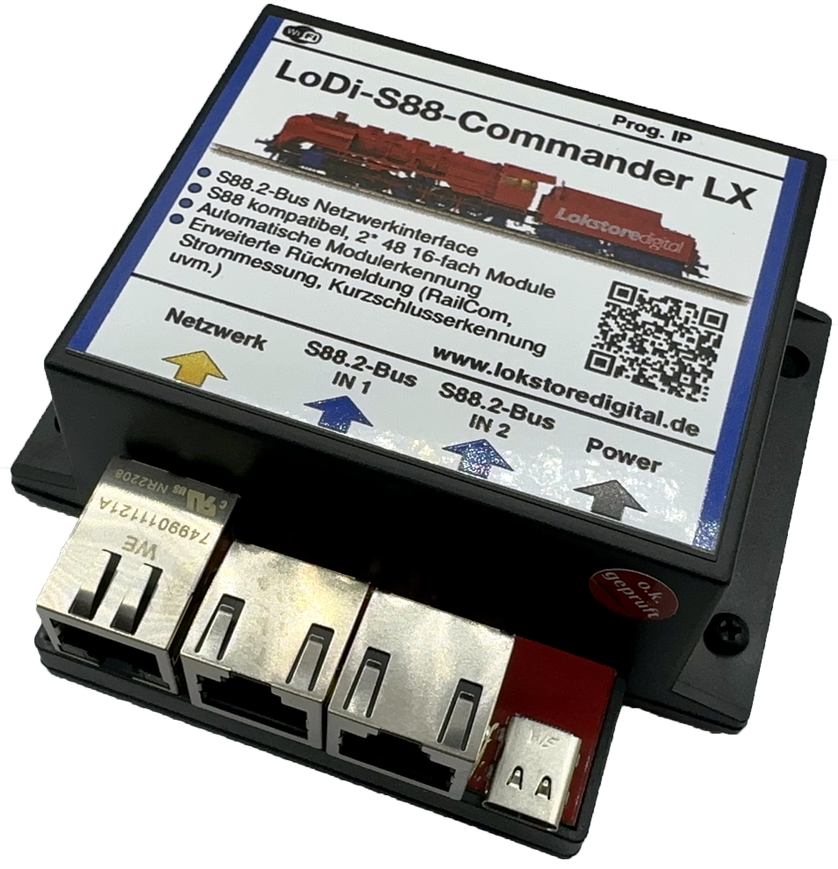
The successor to the S88-Commander, the LoDi-S88-Commander LX. A completely reworked version of our S88.2 interface. With a new 32-bit dual-core processor it offers far more performance than its predecessor. Beyond that it now has Wi-Fi built in (from version 6.2.0). With DHCP integrated it is easier to bring into networks, and alongside UDP it now also speaks TCP for even more secure transfer of data to the software or to other components such as the LoDi-Con. It is also prepared for automatic registration over DCC-A to RCN-218. That will become available in future through a software update and in combination with the LoDi-8-GBM v2.
Introducing: our new, thoroughly thought-through feedback system. The first component is the interface, the LoDi-S88-Commander.
S88 is a familiar term to every modeller. Its advantages and drawbacks, the pros and cons — almost everyone has met them. We took stock of what modellers need and considered how we could develop the S88 system further while staying compatible. With us, s88 and s88N now become S88.2, a new standard that allows more to be sent over the bus than just "detector on" or "detector off".
Features of the LoDi-S88-Commander LX
- The LoDi-S88-Commander and LoDi-S88-Commander LX is the interface for the S88.2 bus and the s88 bus, and thus the link between the computer and the detection modules.
- Very fast processing of every detector on the bus.
- Up to ten times faster data processing thanks to the latest technology.
- You can connect and read up to 2 × 48, that is 96 in total, 16-fold detection modules on the LoDi-S88-Commander LX.
- Automatic module detection on bus 1 and 2 (for S88.2 bus devices only)
- Modules with the new S88.2 standard can now be addressed and keep their address.
- Extended feedback options with the LoDi-8-GBM, LoDi-8-GBM-P, LoDi-RM-16+
- Simple configuration thanks to the LoDi-ProgrammerFX
- The new S88.2 data bus is a development of the s88 bus which now also lets us pass data such as RailCom®, current measurement, short-circuit detection and even QoS (quality of service) on to the control software.
- The LoDi-S88-Commander LX is prepared for Wi-Fi and DCC-A. That will be available in 2023 through a software update in the LoDi-ProgrammerFX.
- The LoDi-S88-Commander LX supports DHCP, which makes it even easier to integrate into an existing network.
- A modern network interface, and therefore driver-free operation!
Videos from partners
Setting up the LoDi-S88-Commander (LX) in TrainController.
Setting up the LoDi-S88-Commander (LX) and the LoDi-Rektor in iTrain.
1. The LoDi-S88-Commander LX and its connections
The LoDi-S88-Commander LX is the interface for the feedback bus. It processes S88.2 and s88 bus commands very quickly. It connects through a modern, forward-looking and driver-free interface.
It is therefore entirely independent of the operating system installed.
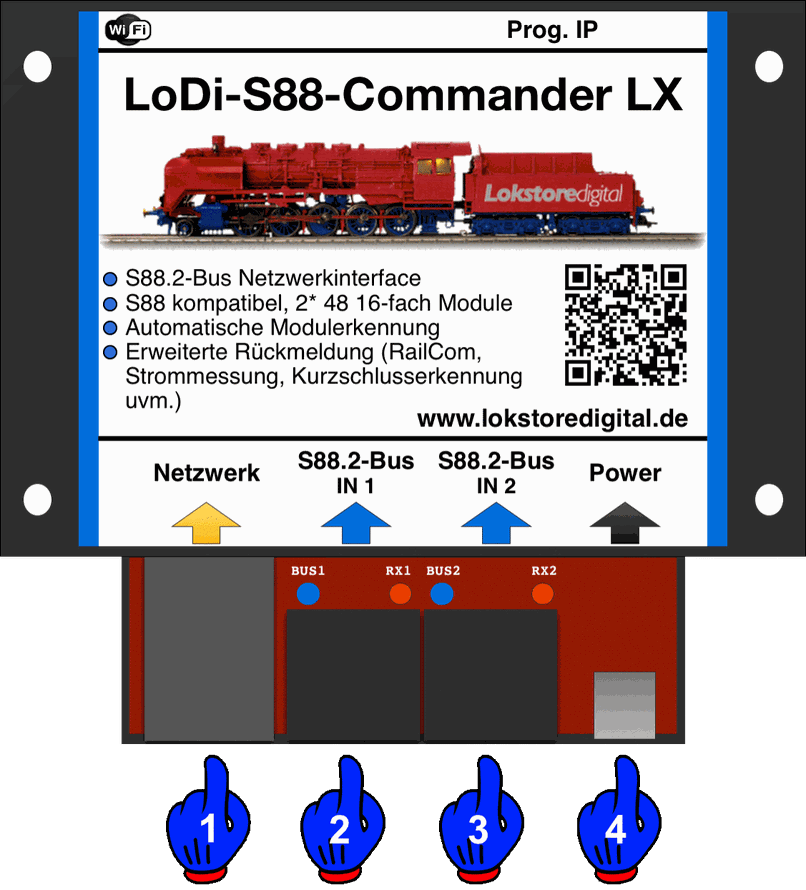
About the connections on the LoDi-S88-Commander LX:
- (1) Network port: connect your network switch or router here.
- (2) S88.2 bus IN 1: your feedback modules connect here. A maximum of 48 modules can be connected to one bus. (The total of bus 1 and bus 2 must not exceed 96.)
- (3) S88.2 bus IN 2: further S88.2 or s88 modules can be connected here. In total, however, they must not exceed 96 × 16-fold detectors.
- (4) USB-C port: the USB-C connection provides the 5 volt supply for the LoDi-S88-Commander LX.
2. LEDs and button of the LoDi-S88-Commander LX
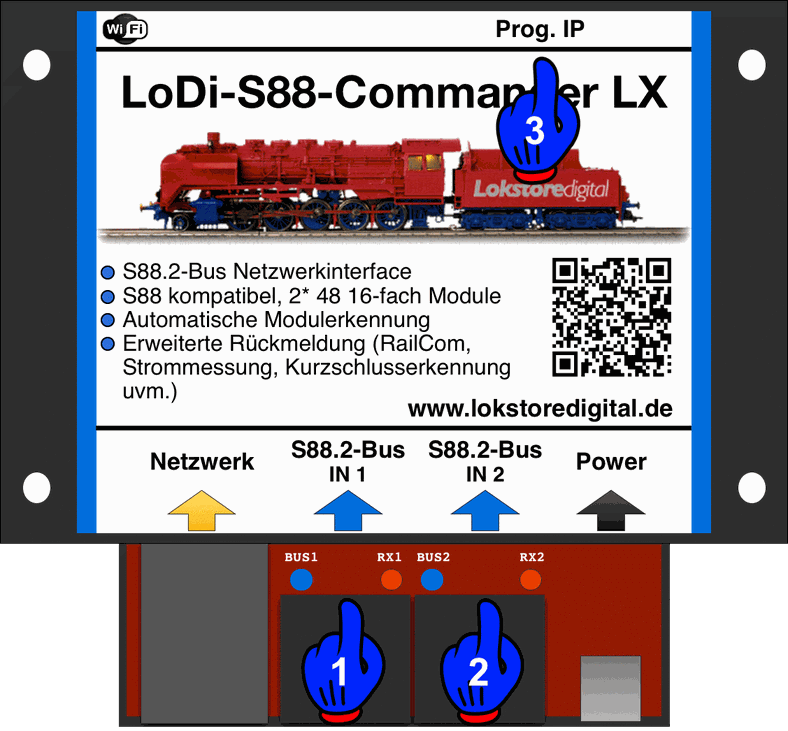
The LoDi-S88-Commander LX has several LEDs and a button to help you read the state of the device and understand faults quickly.
- (1,2): the two blue bus LEDs light as soon as the buses are switched active by the LoDi-S88-Commander LX. The two red RX LEDs flash whenever the LoDi-S88-Commander LX receives a change.
- (3): Prog. IP button and LED. This button is used whenever you want to change the IP address of your LoDi-S88-Commander LX. More on that in the LoDi-ProgrammerFX description.
3. Connecting the power supply to the LoDi-S88-Commander LX
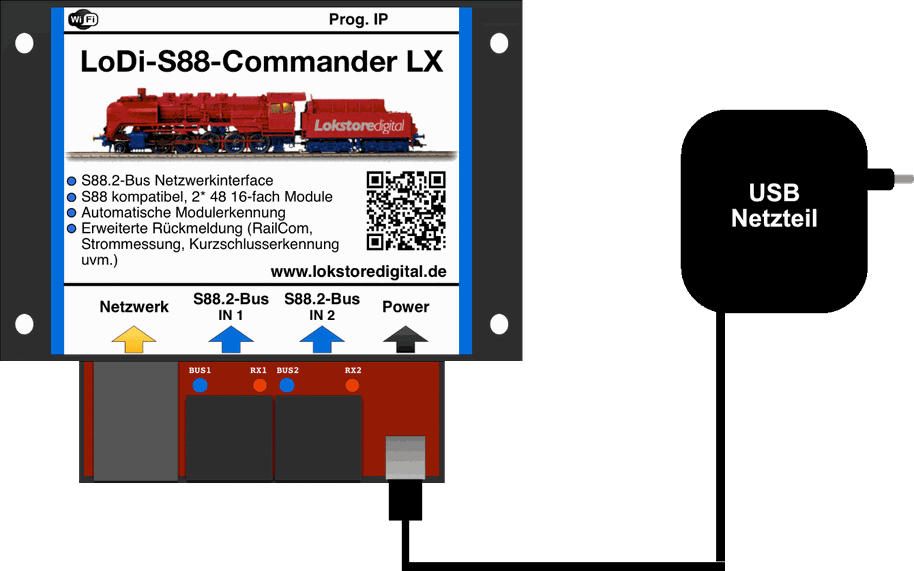
We deliver the LoDi-S88-Commander LX with a high-quality USB power supply. You are of course welcome to use your own USB power supply, but it should provide at least
1 ampere at 5 volts.
(Chargers from newer Apple MacBooks or iPads unfortunately cannot be used. They work with
"USB Power Delivery", where the devices have to negotiate the current — a function the LoDi components do not support.)
Important note on the power supply: use only the external power supply for our interface. Powering it from the PC can cause a ground loop and interference because of the network connection.
4. Connecting the LoDi-S88-Commander LX to the network
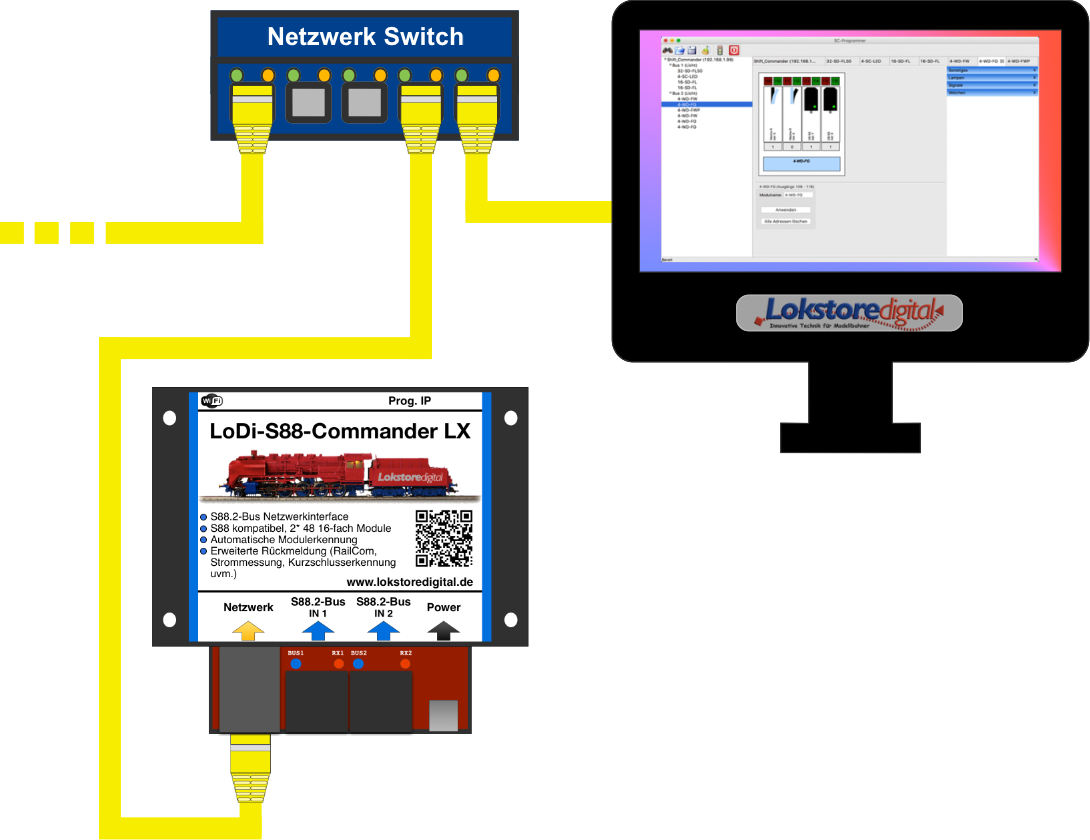
All our devices work with a modern network interface.
That brings you plenty of advantages in handling the devices. This network interface lets you integrate several interfaces into your system without trouble.
There are almost no limits to your imagination here.
This technology lets you build large and very large layouts, but small layouts benefit from it too.
Thanks to networking, controlling your layout from a laptop or tablet is no longer a problem. Today's Wi-Fi routers are perfectly able to carry these connections quickly enough.
There is little to watch out for when bringing the LoDi interface into your network.
It is always easier to integrate the LoDi interface into an existing network than to install another network card in the computer.
If you need help with the integration, do get in touch with us through the contact form, or turn to our users in the forum, who will gladly help.
As the picture above shows, we pay close attention to the colour coding of network cables. Yellow is the international standard for computer networks.
You are of course free to use other colours; we stick to these standards.
In the example shown, the computer is connected to a switch or router.
You can of course also connect the computer over Wi-Fi.
The LoDi-S88-Commander LX is attached to the switch or router as well.
The cable running off to the left could be your internet line, or other devices connected to your network.
If the ports on the switch or router run out, simply connect another switch to the existing one. The link channels of the switches route the data to the right device automatically; you only have to plug the cables in. Please take care not to build a loop, though — a loop is a circle, so to speak, that will bring your network down.
Once the LoDi interface is connected correctly, the next step is configuring the network address (the IP address) through our LoDi-ProgrammerFX.
5. Connecting s88 and s88N modules
Before we talk about the new S88.2 bus, let us first explain the current s88 and s88N variant.
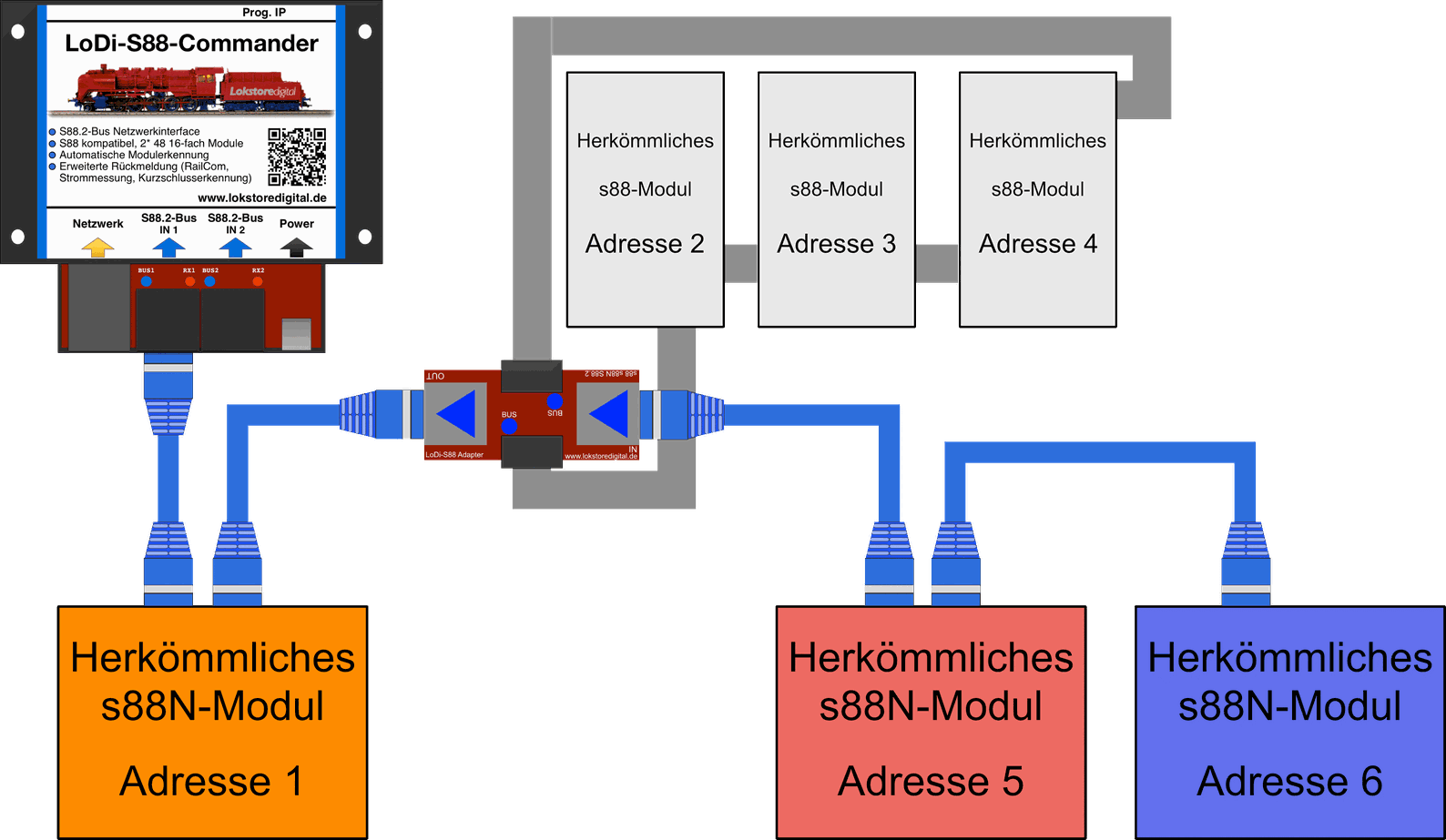
Here you see conventional s88N compatible modules connected.
Three modules are connected to bus 1 of the LoDi-S88-Commander LX here.
A total of 96 × 16-fold modules, or 96 × LoDi-8-GBM and LoDi-RM-16+, can be connected to the LoDi-S88-Commander LX.
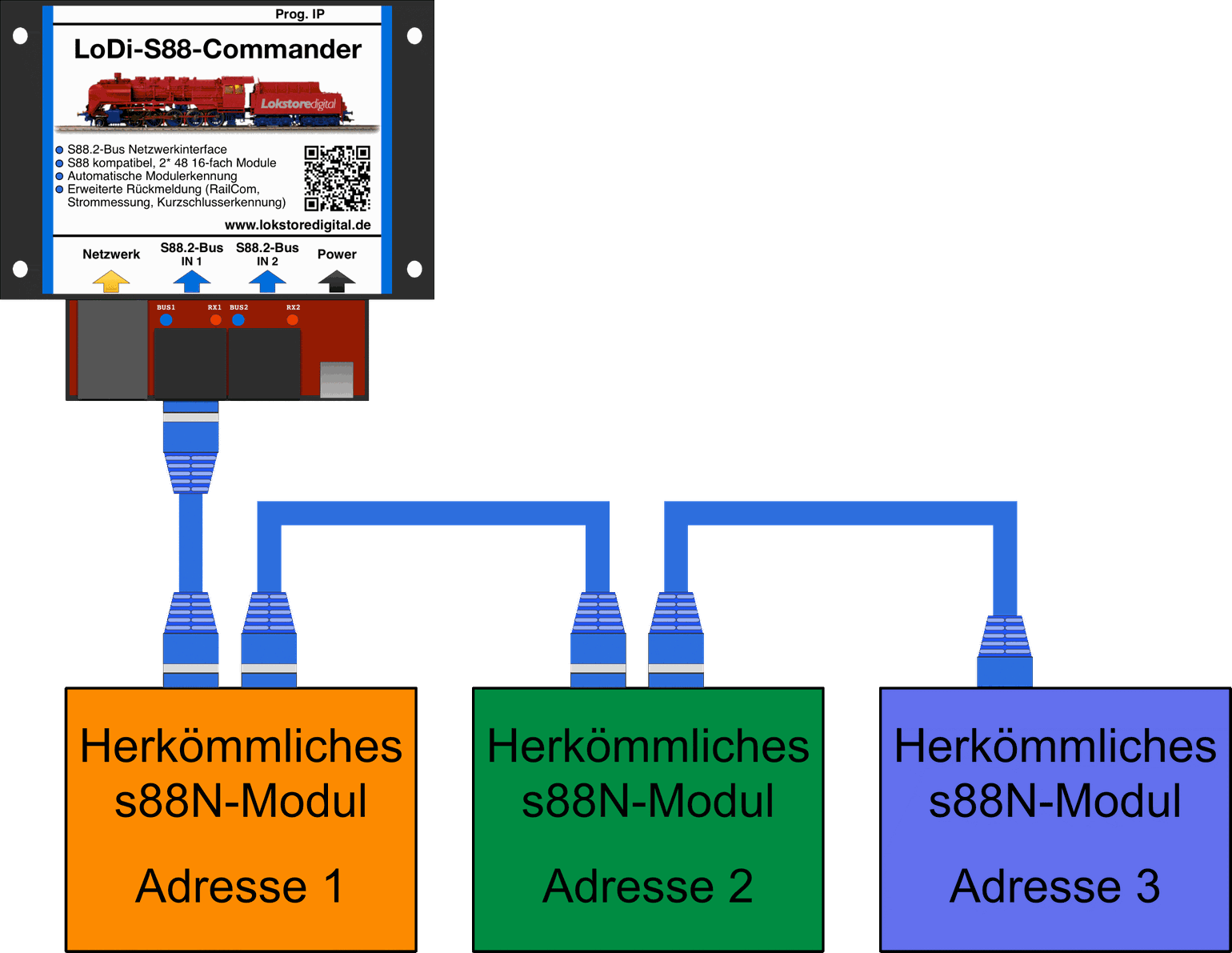
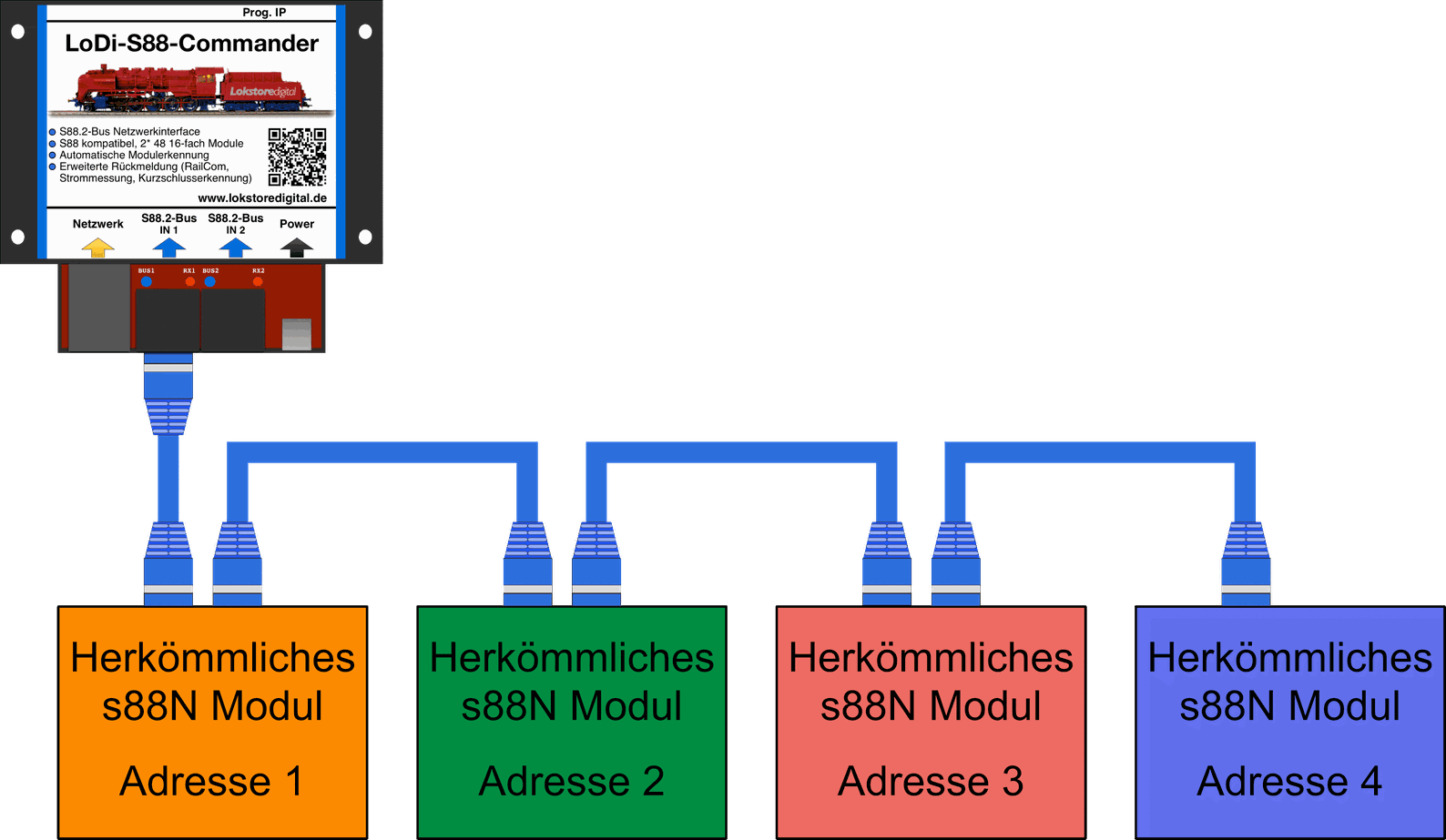
If you now want to hang another module in between — the third module, shown in red, in this case — all addresses behind it shift. The blue module would previously have had addresses 3.1 to 3.16, but now has 4.1 to 4.16.
Modern software can of course help here, but for modular layouts that are set up differently each time, s88 was never a great choice.
Interference immunity is no longer an issue today and was solved well with the move to s88N.
With our new S88.2 we of course assume patch cables!
For bringing in old s88 modules with a 6-pin connector we have an adapter you can use as follows.
The adapter is compatible with s88, s88N and S88.2.
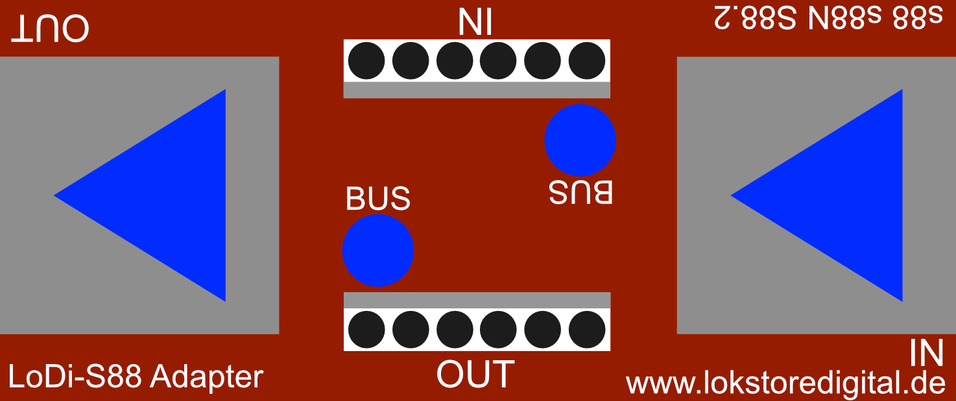
The adapter works for one module or for several at once.
The LoDi-S88-Commander LX detects whether it is dealing with s88 modules or S88.2 modules.
6. Connecting S88.2 modules
As mentioned above, the LoDi-S88-Commander LX has two extended buses, or rather a development of the old s88 system. The new S88.2 protocol is open and can be requested from us.
The LoDi-S88-Commander LX has bus 1 and bus 2.
A total of 96 standard 16-fold modules, or 96 × LoDi-8-GBM, LoDi-8-GBM-P or LoDi-RM-16+, can be connected.
On the S88.2 bus the modules have to be given an address. The bus addresses are therefore no longer fixed by the s88 shift register, but set by your programming.
As shown in the example above with the old s88 and s88N modules, the new bus has no assigned addresses any more — you programme them into the device yourself.
S88.2 is therefore perfectly usable for modular layouts!
Another advantage!
Through the additional data layer we give the S88.2 bus, data such as current draw, short circuits within the block and RailCom data from the locomotive or consumer can now be reported back to the software as well.
Here you see the layout of the S88.2 modules. In this example there are several LoDi-8-GBM units.
Modules that are S88.2 capable have to be addressed on the bus.
How that works can be seen here: programming S88.2 modules
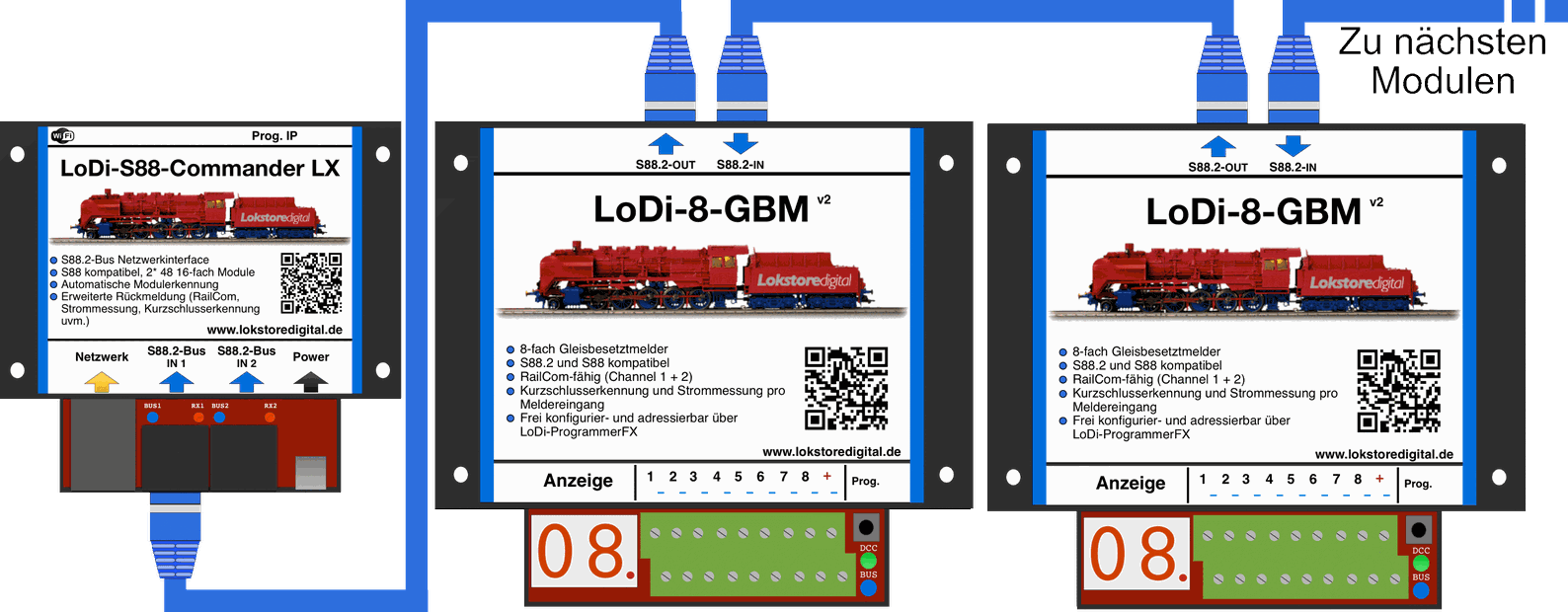
Old s88 modules can of course also be inserted between S88.2 modules through our LoDi-S88 adapter; the LoDi-S88-Commander LX is able to detect which module is S88.2 capable and which is not.
With the conventional s88N capable modules on the market it only has to be checked whether the eighth conductor — which we use in the network cable as the TX channel of the S88.2 bus — is carried through. Otherwise the LoDi-S88-Commander LX no longer detects the S88.2 modules.
7. Technical data
| Property | Value |
|---|---|
| Dimensions | LoDi-S88-Commander and LoDi-S88-Commander LX |
| Length | 8.9 cm |
| Width | 10 cm |
| Height | 3.5 cm |
| Weight | 89 grams |
90 grams. The USB-C connection can be powered from any common USB-C cable or power supply.
The maximum load of the USB power supply may be 3 amperes.
8. Setting up the LoDi-S88-Commander LX in the LoDi-ProgrammerFX
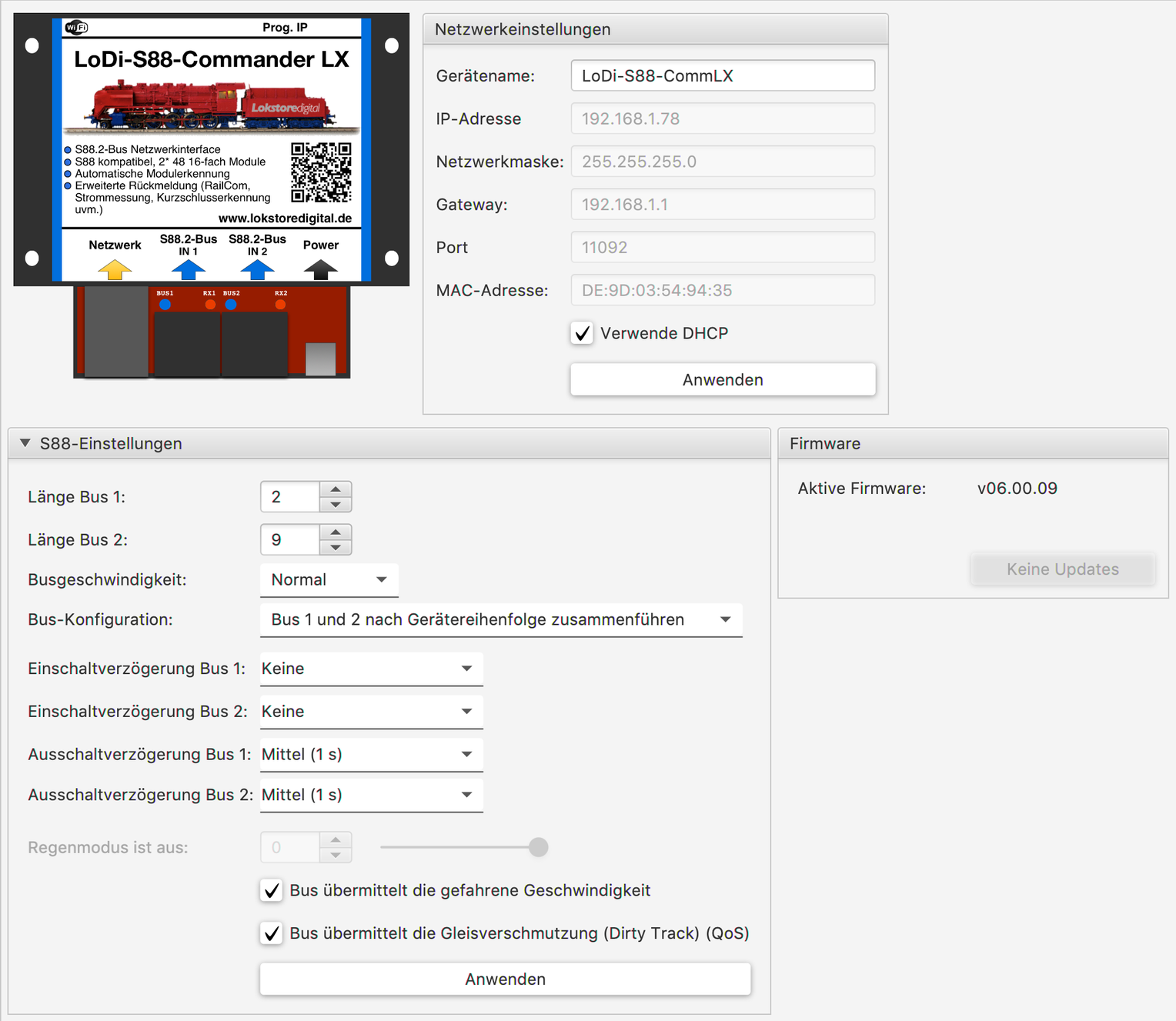
Here is how to commission the IP address of the LoDi-S88-Commander
Here is how to set up the LoDi-S88-Commander
Here is how to set up the LoDi-8-GBM and LoDi-8-GBM-P and the LoDi-RM-16+
9. LoDi-S88-Commander and LX PDF download
Here you can download a summary of the LoDi-S88-Commander LX hardware and software as a PDF.