
LoDi-Con manual
Online database
The online database provides images for locomotives and carriages. Anyone can upload their own images there and make them available to others. The LoDi-Con can use those images directly as long as it is online.
The database is at https://images.lokstoredigital.de.
Here is how to set the online database up and use it:
Setting up access
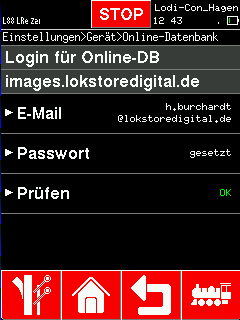
In principle the online database can be used from the LoDi-Con without logging in — but then only public images are available.
To see private locomotive images as well, the e-mail address and password used to log in at https://images.lokstoredigital.de have to be entered.
First tap the "house symbol" in the bar at the bottom.
From there go to "Settings" > "Device" > "Online database".
Now enter the e-mail address under "E-mail" and the password under "Password".
Access can be verified with the "Check" menu entry.

Choosing a locomotive image
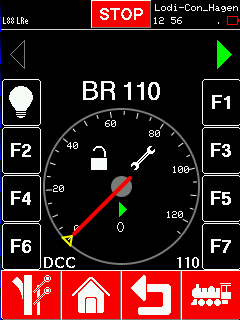
To choose an image for a locomotive from the online database, start exactly as you would for an image already on the LoDi-Con:
Open the locomotive settings by clicking the "house symbol" and then choosing a locomotive under "Settings" > "Locomotive database". Another way is to click the spanner on a locomotive you have already selected.
Then click the "Image" entry.
In the selection that appears, click "[Online]". The list of locomotive images for the filter currently set is fetched.
The "[Filter]" entry lets you refine your search. You can filter by image name, railway company, locomotive type — steam, electric and so on — and era.
To take an image for the locomotive, simply click it.

Would you like to see the quality of the devices for yourself?
Get in touch with us HERE!
Visit our forum, where experienced users are happy to help you.