
Hardware
LoDi-SC-Booster
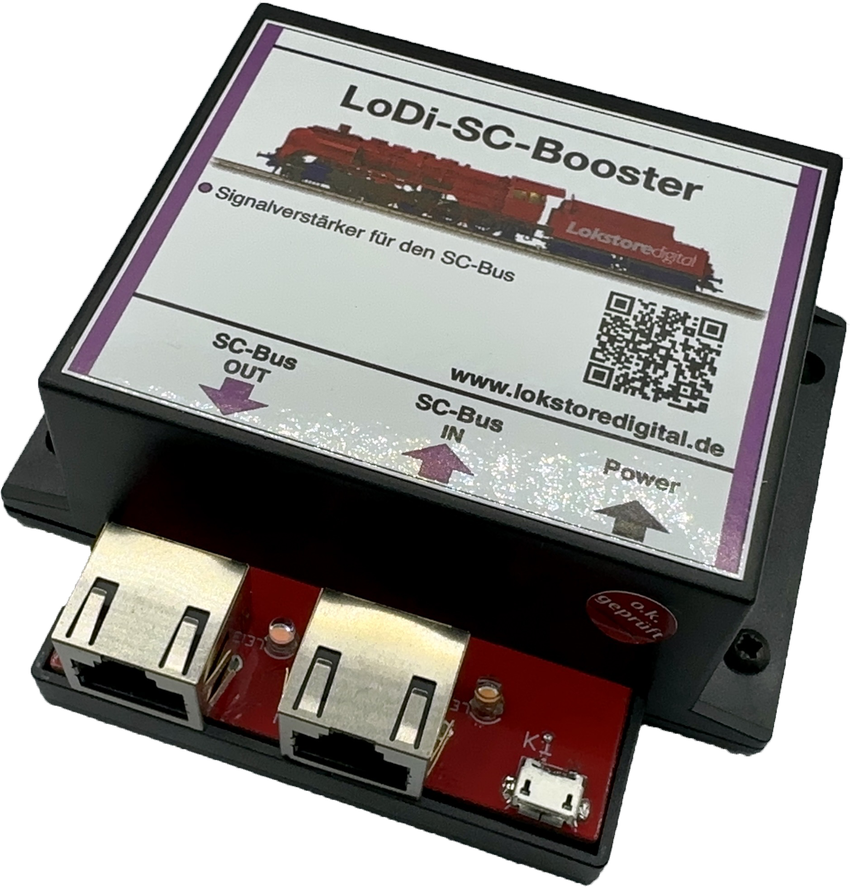
The LoDi-SC-Booster is a compact bus booster for the SC bus. When decoders are chained together with patch cables, the voltage can drop with every further LoDi-Operator, and with longer patch cables too. With a total SC bus length of up to 200 metres in particular, that can cause problems. If more than 16 LoDi-Operators are connected to the Shift-Commander, we recommend using the LoDi-SC-Booster to secure a reliable supply.
Features of the LoDi-SC-Booster
- It supplies the current needed for further SC bus components.
- Up to 16 further modules are possible.
- The power supply is included.
1. The LoDi-SC-Booster and its connections
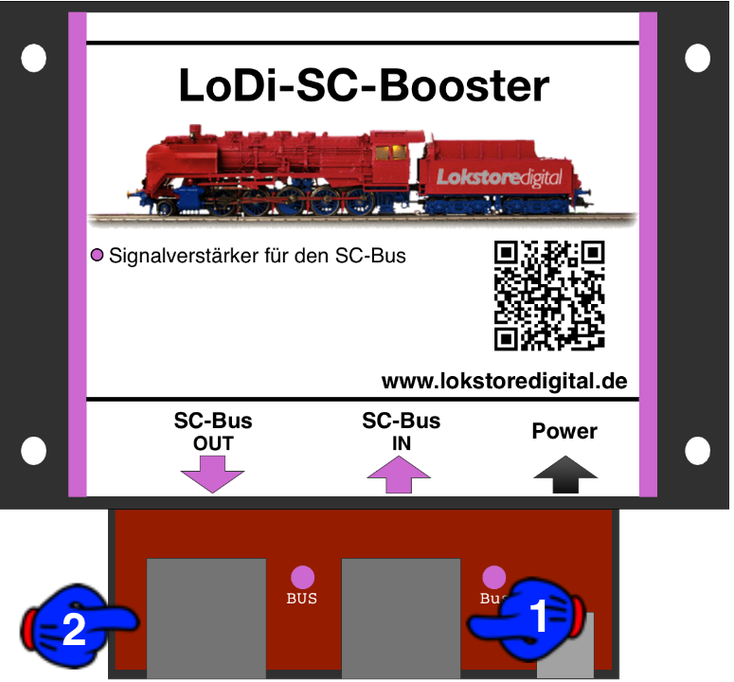
The LoDi-SC-Booster is needed for larger installations of more than 25 LoDi-Operators.
Another 16 LoDi-Operators can be attached to the system, provided enough free channels remain.
In a fully built-out installation a maximum of three LoDi-SC-Boosters are needed.
- (1) The bus coming from the last LoDi-Operator connects here.
- (2) Here you connect further LoDi-Operators in your system.
2. LEDs on the LoDi-SC-Booster
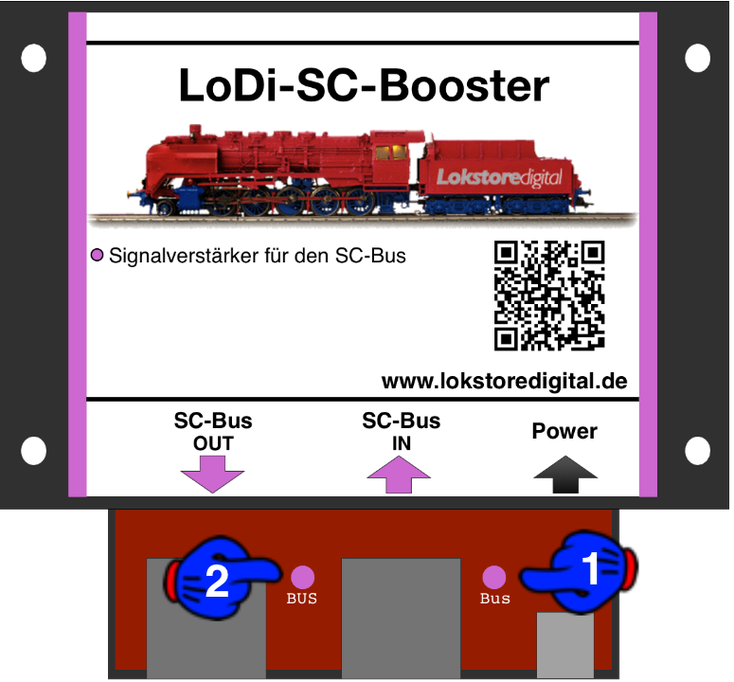
The LoDi-SC-Booster has two LEDs to help you read the state of the device and understand faults more quickly.
- (1) SC bus IN: the LED lights as soon as the bus coming from the last LoDi-Operator is plugged in here.
- (2) SC bus OUT: as soon as the power supply is connected, this LED lights and signals power on the bus.
3. Connecting the power supply
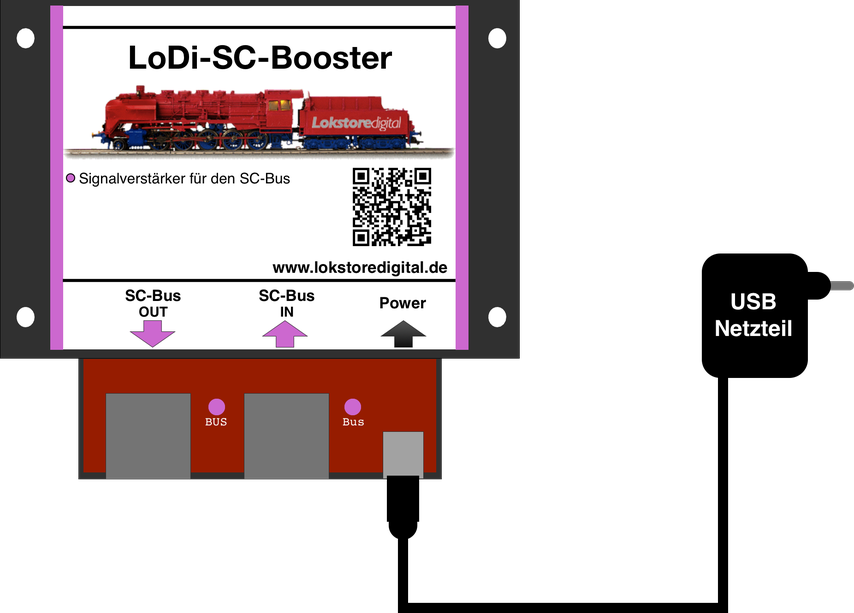
A high-quality micro-USB power supply is included.
You can also use your own USB supply, or a free USB port on the computer, as long as it can deliver at least 1 ampere.
4. Connecting the LoDi-SC-Booster to the SC bus
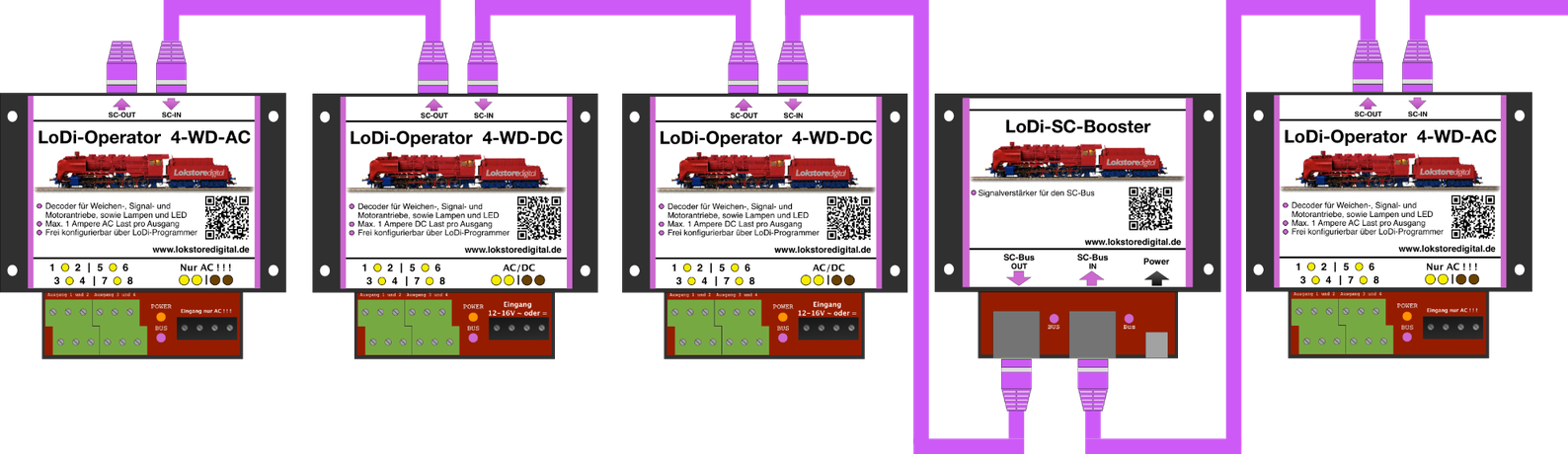
In the picture you can see the LoDi-SC-Booster fitted. It has been integrated into an existing bus.
The last example picture shows SC bus 1 and 2 taken to their limits. The order of the modules is entirely irrelevant here.
Only with the LoDi-Light-Controller should you take care that it is connected to bus 2.
What matters is that you integrate a new LoDi-SC-Booster into the system after every 16th module.
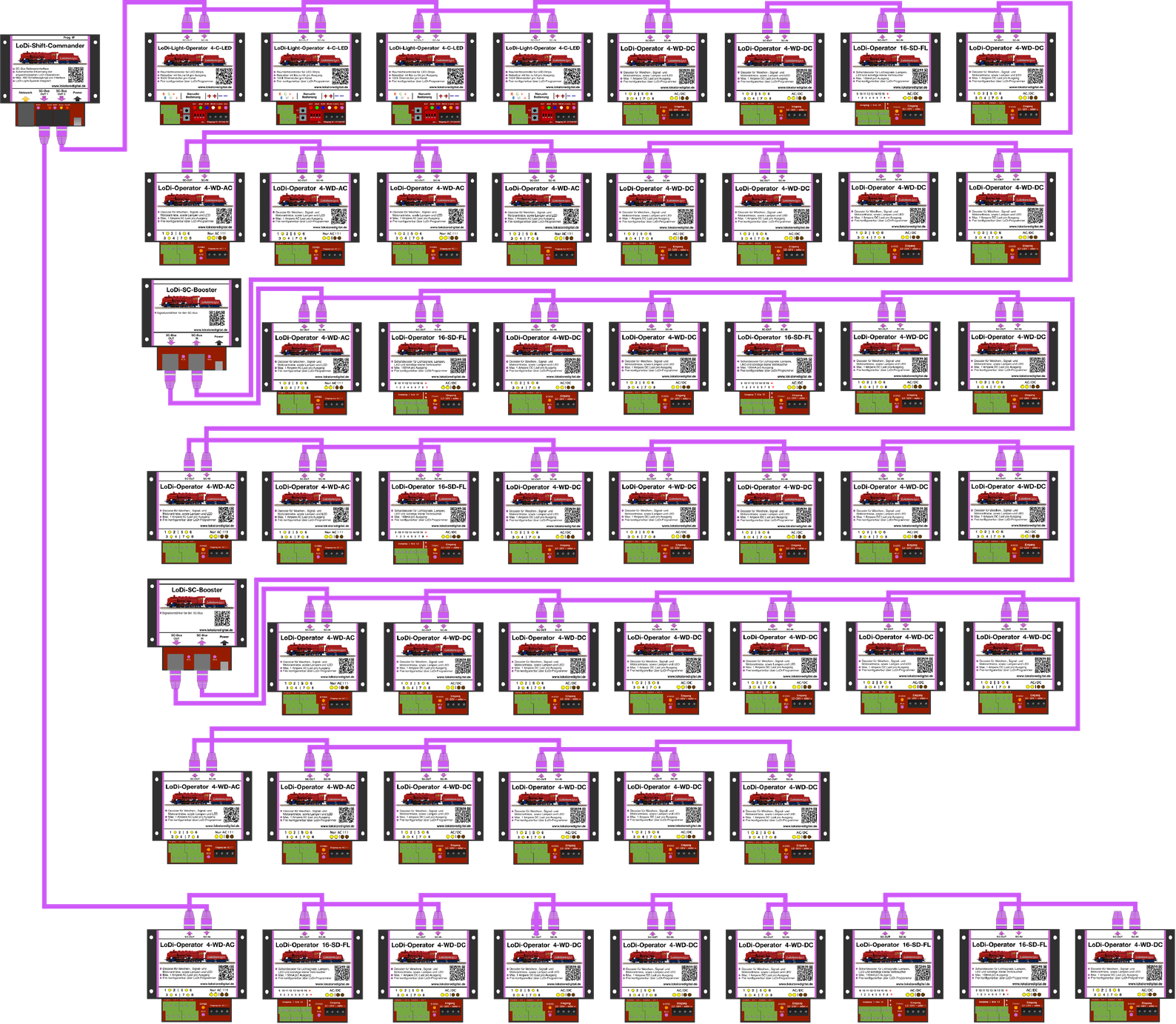
The bus length, or rather the number of modules, is very easy to work out.
On bus 1 you have 96 channels available.
Here you could connect 12 LoDi-Operator 4-WD-DC or AC units, for instance, since each module needs 8 channels.
On the slow bus you have 384 channels available. That would be 48 LoDi-Operator 4-WD-AC or DC units, LoDi-Light-Controller 4-C-LED or LoDi-Operator 16-SD-FL units.
As you can see, our system lets you work very flexibly.
5. LoDi-SC-Booster PDF download
Here you can download a summary of the LoDi-SC-Booster hardware as a PDF.