
LoDi-Con manual
Routes
The LoDi-Con lets you define and call up routes. Waiting times, signals and other objects can be part of them.

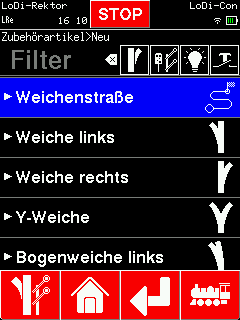
To create a route you first have to go back to the turnout overview by tapping at the bottom left, or through:
Settings > Article database.
Now tap "Turnout street" to create a new one.
First you have to give the turnout street a name.

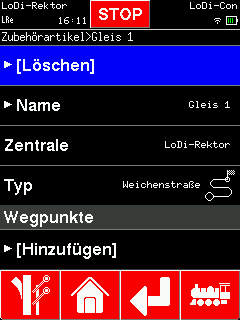
Once you have entered a name and confirmed it, you reach the properties of the turnout street.
Here — as with every other object — you can change the name or delete the object altogether.
Now swipe down to the "Waypoint" entry.

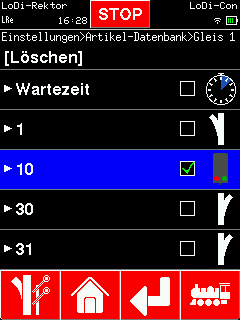
We start with a signal: select it and set the target state for it.
Then tap "Add" again. Now choose "Waiting time", for instance, to delay what follows.
(A waiting time can last between 100 ms and 20 seconds, and several waiting times can be set one after another.)
Now add any further objects to be switched, until your route is set the way you want it. The route can be tested straight away in the "properties" and corrected where needed.

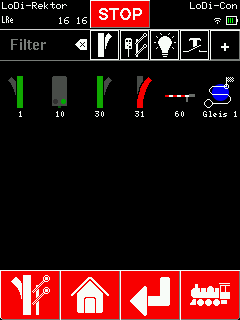
The turnout street "Track 1" has now been created. Tapping it starts the sequence; a blue dot shrinking in size shows the time passing. The turnout street should now be set.

Would you like to see the quality of the devices for yourself?
Get in touch with us HERE!
Visit our forum, where experienced users are happy to help you.