
LoDi-Con manual
Märklin CS2 and CS3
Setting up the CS2/3 in the LoDi-Con
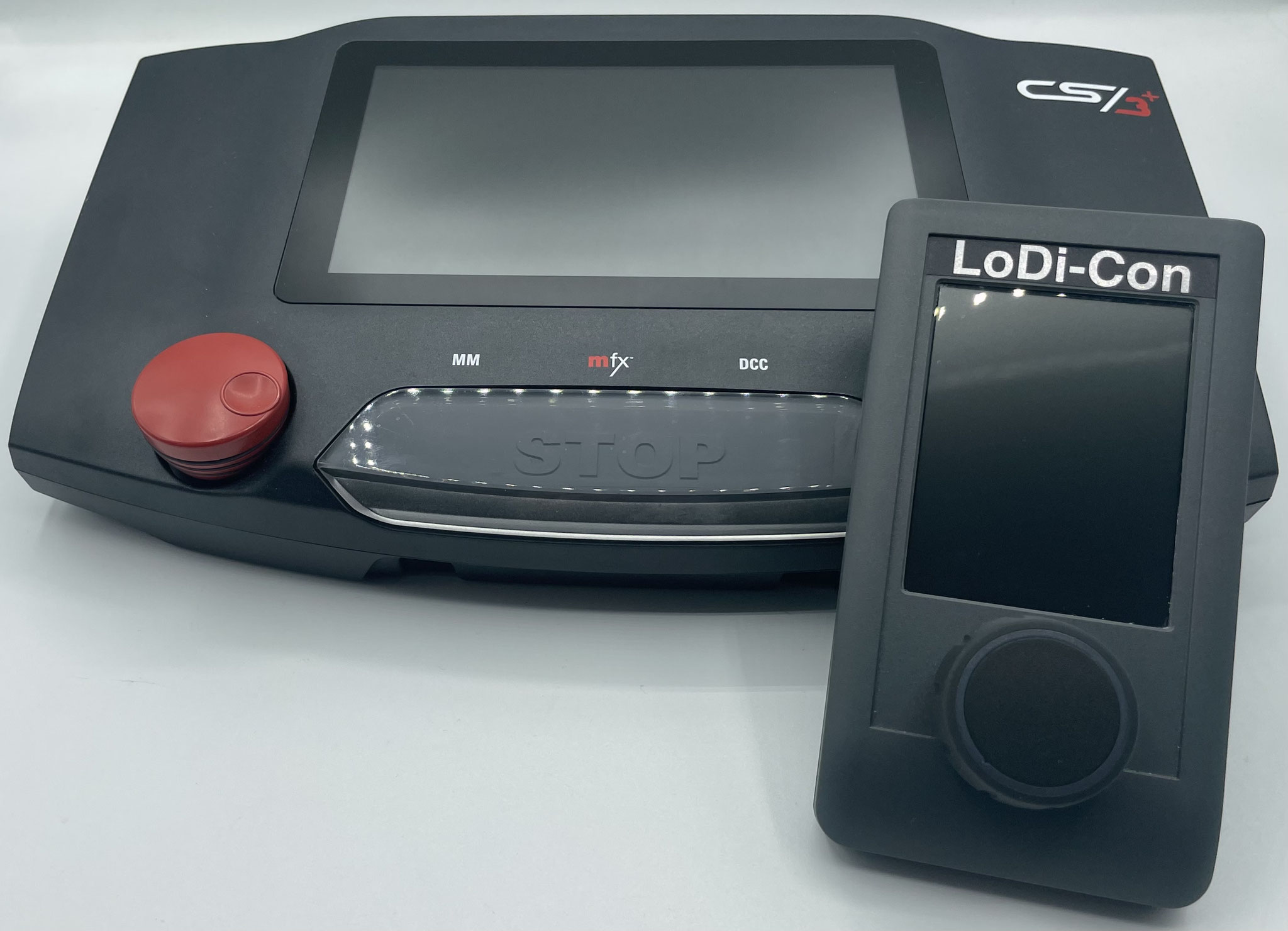
The LoDi-Con can connect to your CS2 or CS3.
The data of the CS2/3 can be transferred straight onto the LoDi-Con. With little effort you can drive all of your locomotives and accessories from the LoDi-Con.
Here is how it works:
First the CS2/3 has to be on the same network as the LoDi-Con, so make sure both devices are on it. If you have questions about that, do get in touch.
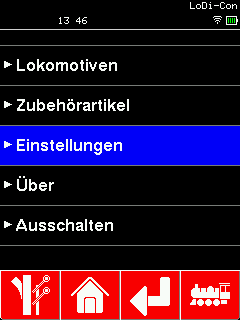
First tap the "house"; this icon always takes you back to the main screen.
There press Settings > Command station >
From there go to Settings > Command station >

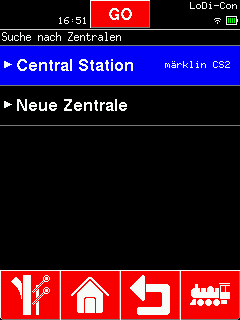
For the CS2/3 to be found on the network, you have to switch its "CAN" option to "Broadcast". If you cannot change that, you have to enter the IP address into the LoDi-Con by hand. In our example we have switched to "Broadcast".
Now select the station that was found, give it a name and confirm with the "green tick".
(Devices shown green in the "Search for command stations" overview are already known to the LoDi-Con.)

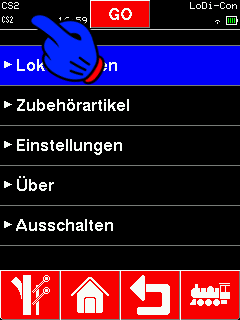
The LoDi-Con now connects to the CS2/3.
Every connected command station is now shown at the top left of the display.
A new CS2/3 symbol should now appear at the top left. If that CS2/3 is steady, the connection is up. If it blinks, the LoDi-Con could not reach the CS2/3, or it is trying to establish a connection.
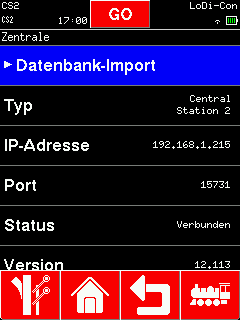
Tapping the top left takes you to the overview of command stations, which also shows whether the connection is active or not. If there are several stations, select the CS2/3 here.
Here you can check whether a connection exists and call up the version number, IP address and UDP port.


Would you like to see the quality of the devices for yourself?
Get in touch with us HERE!
Visit our forum, where experienced users are happy to help you.