
LoDi-Con manual
LoDi-S88-Commander LX

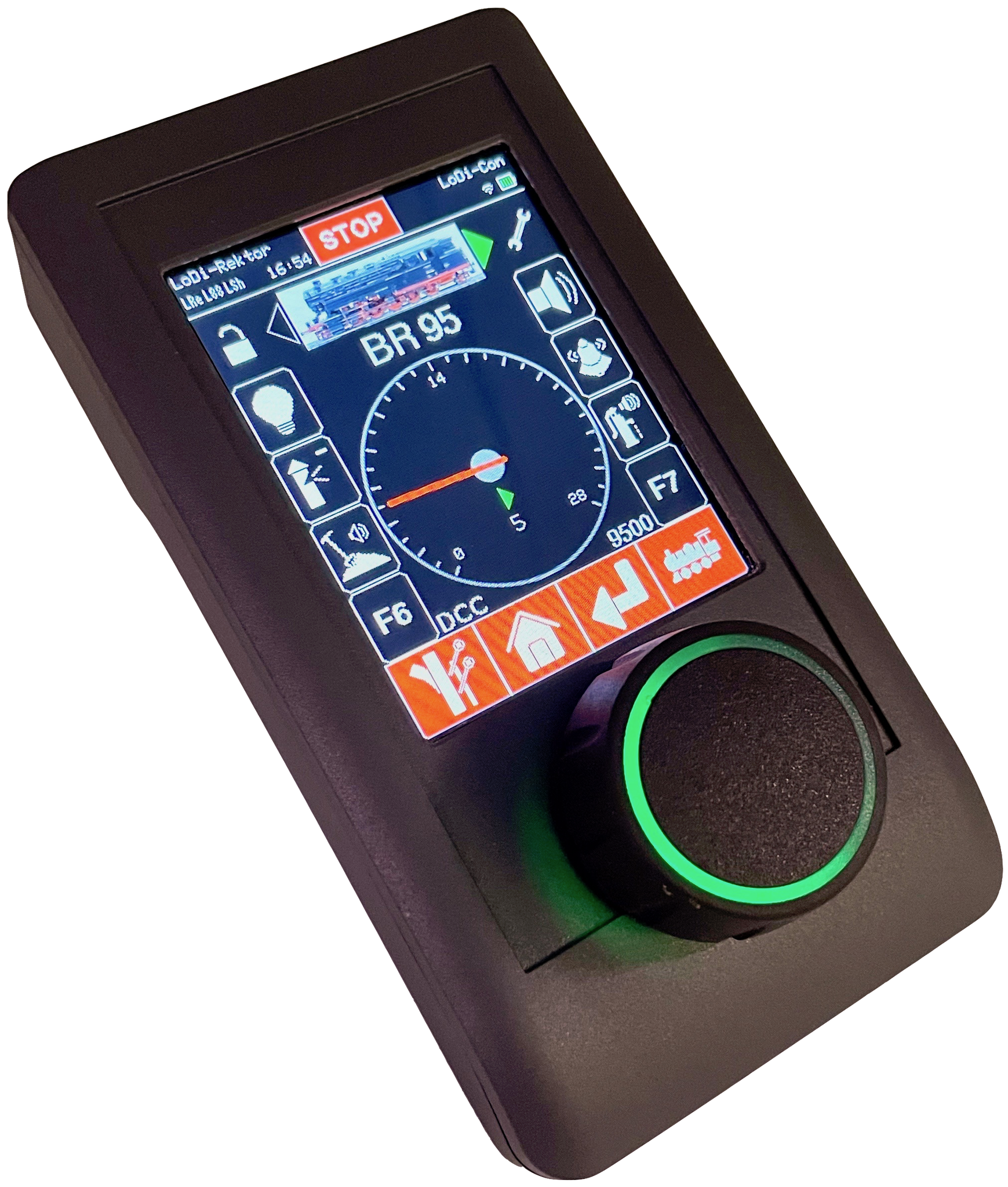
Shift-Commander. You still configure the LoDi-Shift-Commander itself through the LoDi-ProgrammerFX.
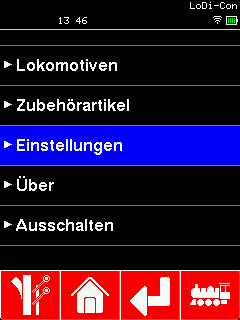
To connect the LoDi-Rektor to the LoDi-Con, proceed as follows:
First tap the "house", which always takes you back to the main screen.
From there go to "Settings" > "Command station" >

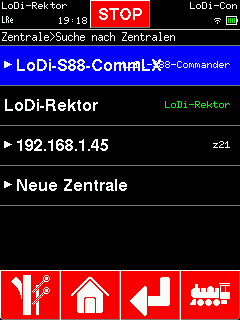
To connect the LoDi-S88-Commander (LX) to the LoDi-Con, proceed as follows:
The LoDi-Con now searches the network for compatible command stations. Any it finds are shown.
Now choose the LoDi-S88-Commander (LX) you want to connect to the
That is because the LoDi-Rektor understands the z21 protocol as well, so that a Roco Wi-Fi handheld can connect to it. In this case please use the LoDi-Rektor.
LoDi-Con. In our example it is the top one.

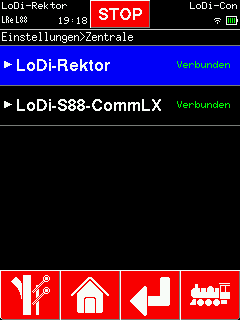
You can change the name of the LoDi-S88-Commander (LX) if you like.
The LoDi-Con now connects to the LoDi-Rektor.
The LoDi-Con now connects to the LoDi-S88-Commander (LX).
A new symbol (L88) for the LoDi-S88-Commander (LX) now has to appear at the top left. If that L88 is steady, the connection is up. If it blinks, the LoDi-Con has no connection to the
LoDi-S88-Commander (LX) or is trying to establish one.

Would you like to see the quality of the devices for yourself?
Get in touch with us HERE!
Visit our forum, where experienced users are happy to help you.