
Hardware
LoDi-Light-Operator 4-C-LED
The LoDi-Operator 4-C-LED
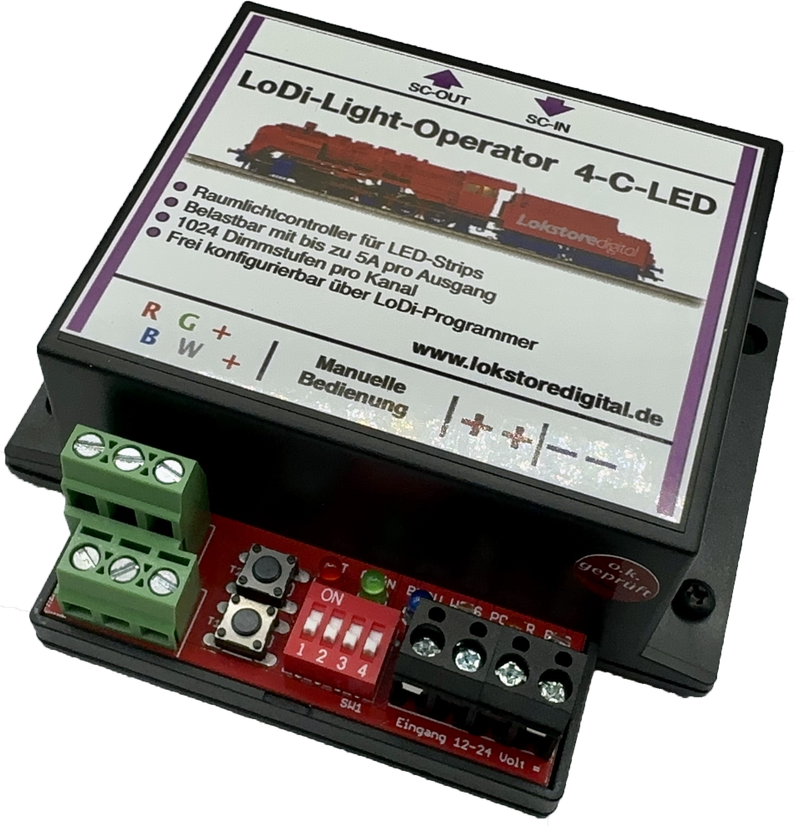
With the LoDi-Light-Operator 4-C-LED we developed a device that has no real equal on the market.
This decoder is probably the most advanced room lighting decoder there is!
Years of experience, both good and bad, have shown us how not to do it.
We took that as our cue to find a sensible solution that is easy to implement.
The result is a well thought-out device that will convince you too.
Features of the LoDi-Light-Operator 4-C-LED
- A room lighting controller for the SC bus, for connection to the LoDi-Shift-Commander
- All outputs work at a frequency of 100 Hz and with 1024 dimming steps, which simulate a realistic sequence. (Other systems manage 255 dimming steps at most.)
- Four channels with a power of up to 5 amperes per output are available. That means it can carry up to 13 metres of LED strip (with 120 LEDs per metre).
- All common LED strips with an operating voltage between 12 and 24 volts can be connected to the LoDi-Light-Operator 4-C-LED.
- Manual operation is possible
- Freely configurable with the LoDi-ProgrammerFX.
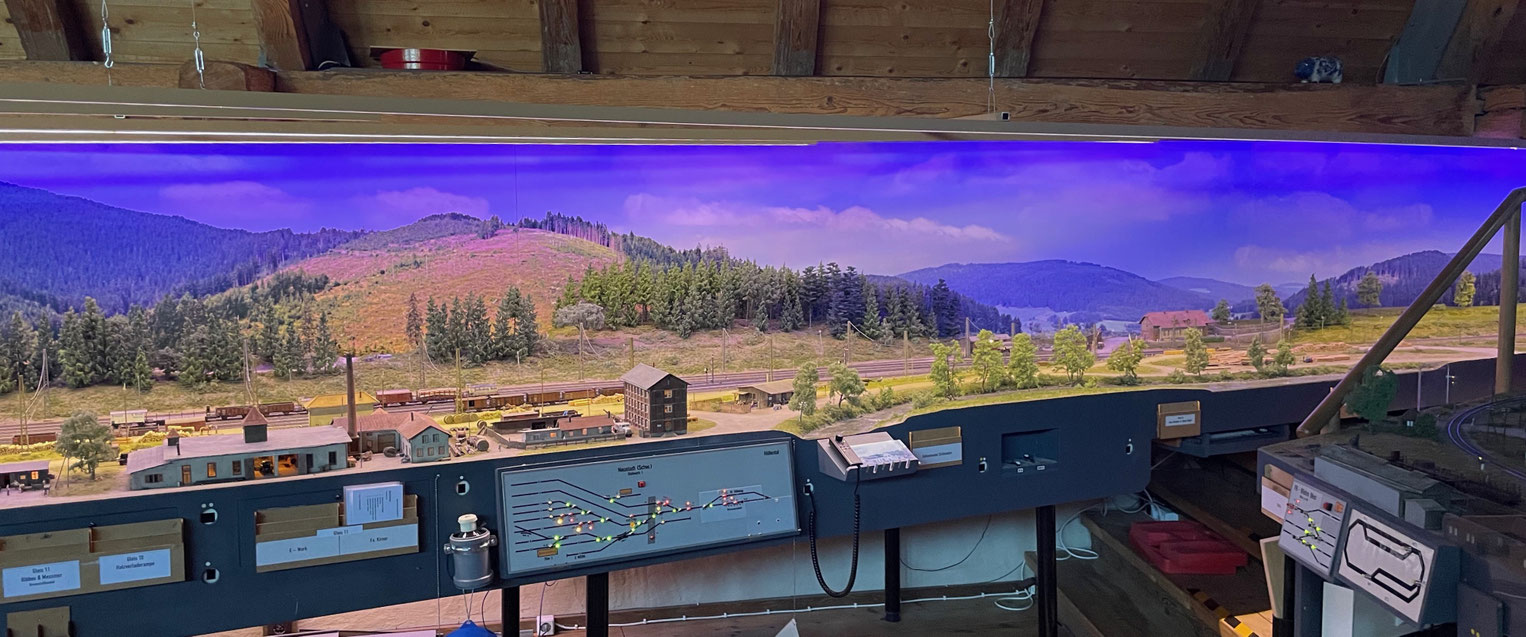
Videos of the device
Videos from partners
Watch a video of the model railway at the Rothaarsteig.
Our technology is already in use on that layout.
Videos from customers
1. The LoDi-Light-Operator 4-C-LED and its connections
The LoDi-Light-Operator 4-C-LED is a controller optimised for room lighting control with LED strips.
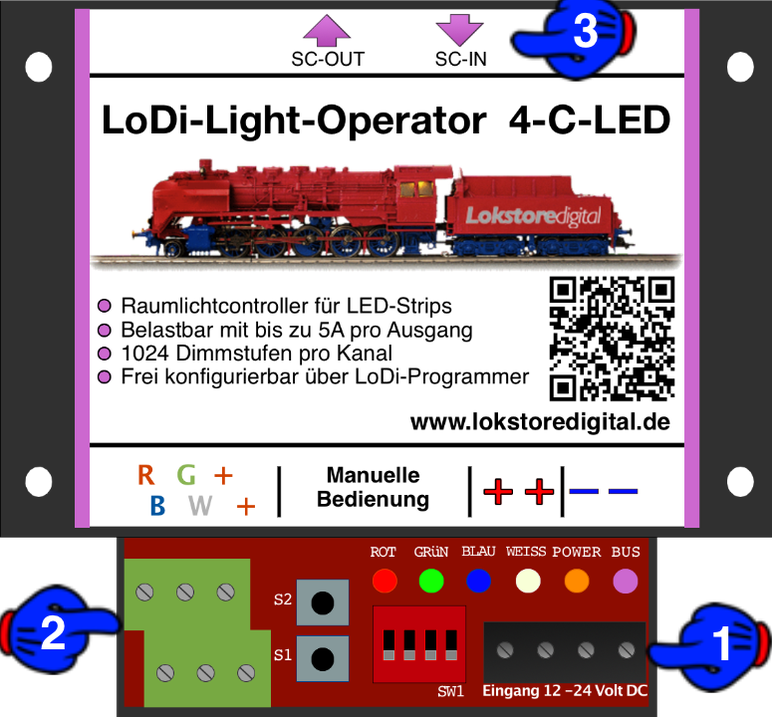
- (1) The DC needed for the LED strips is fed in here.
- ! ! ! CAREFUL, DC ONLY ! ! ! 24 volts maximum ! ! !
- (2) This is the output for the individual LED strips. The RGB channels can be loaded with 5 A at most, the W channel with 10 A at most. In total, however, they must not exceed 20 amperes.
- (3) The SC bus from the LoDi-Shift-Commander is connected at the SC-OUT and SC-IN sockets. More on this in the section on connecting to the SC bus.
2. LEDs and their display on the LoDi-Light-Controller 4-C-LED
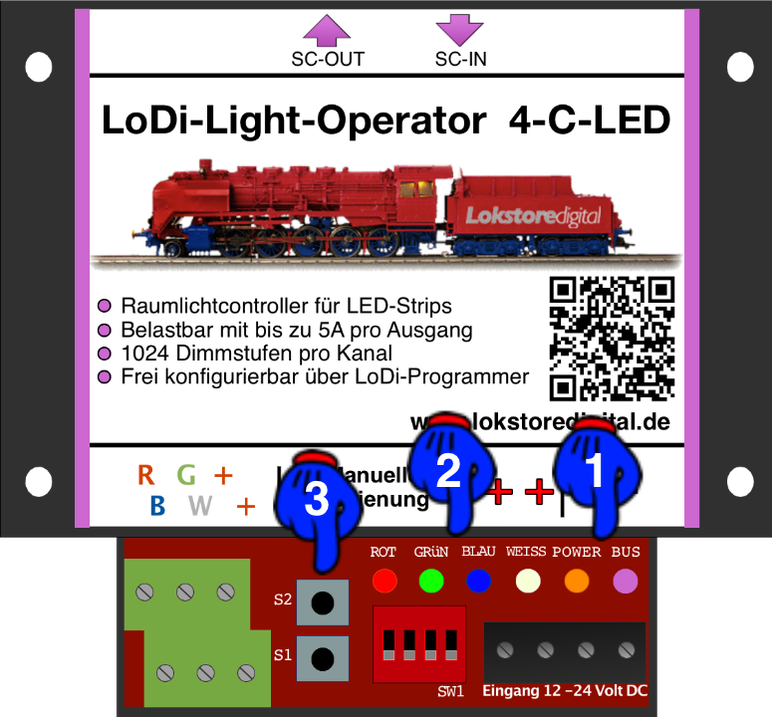
The LoDi-Light-Operator 4-C-LED has several LEDs to help you recognise the state of the device and understand any faults more quickly.
- (1) BUS and POWER. The BUS LED lights as soon as the SC bus is plugged in and active. The POWER LED lights as soon as the input terminal is supplied with power.
- (2) RED, GREEN, BLUE, WHITE. These LEDs show which colour is currently active. That means you can always read off, right at the operator, which colour is currently being driven.
- (3) Manual operation; more on this at point X
3. Connecting the LoDi-Light-Operator 4-C-LED to the SC bus
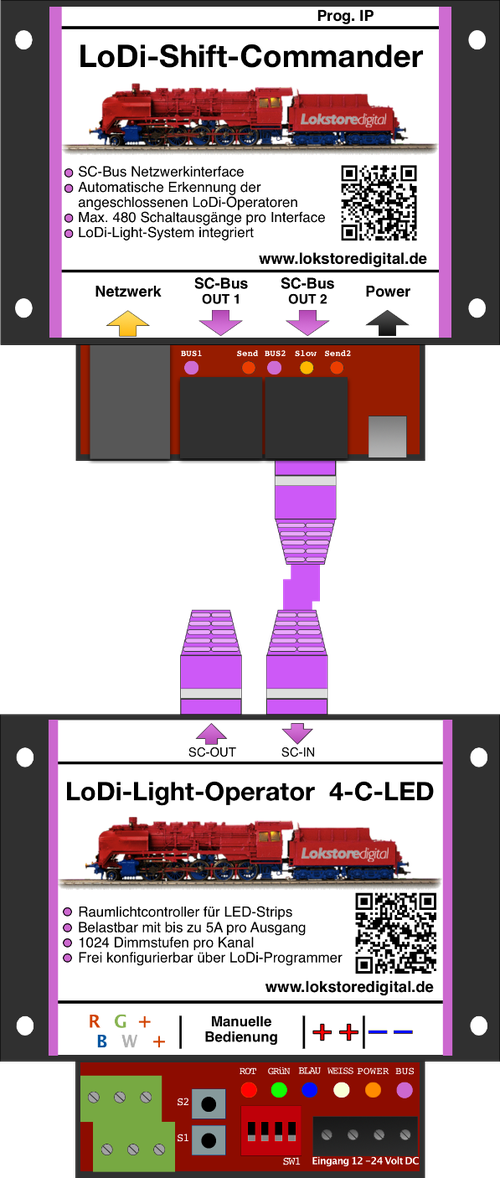
In this picture you see the LoDi-Shift-Commander, shown here together with a connected operator.
The LoDi-Light-Operator 4-C-LED is connected to SC bus Out 2. 384 channels are available here.
The LoDi-Light-Operator 4-C-LED can only be run on bus 2!
It takes up 8 channels on the bus.
The LoDi-Shift-Commander is able to detect the connected decoders automatically.
You can then programme the assignment with our tool, the LoDi-ProgrammerFX
configure.
The bus has to be terminated at the last operator.
That means you always have to plug the terminating plug, called the bus terminator, into the last module.
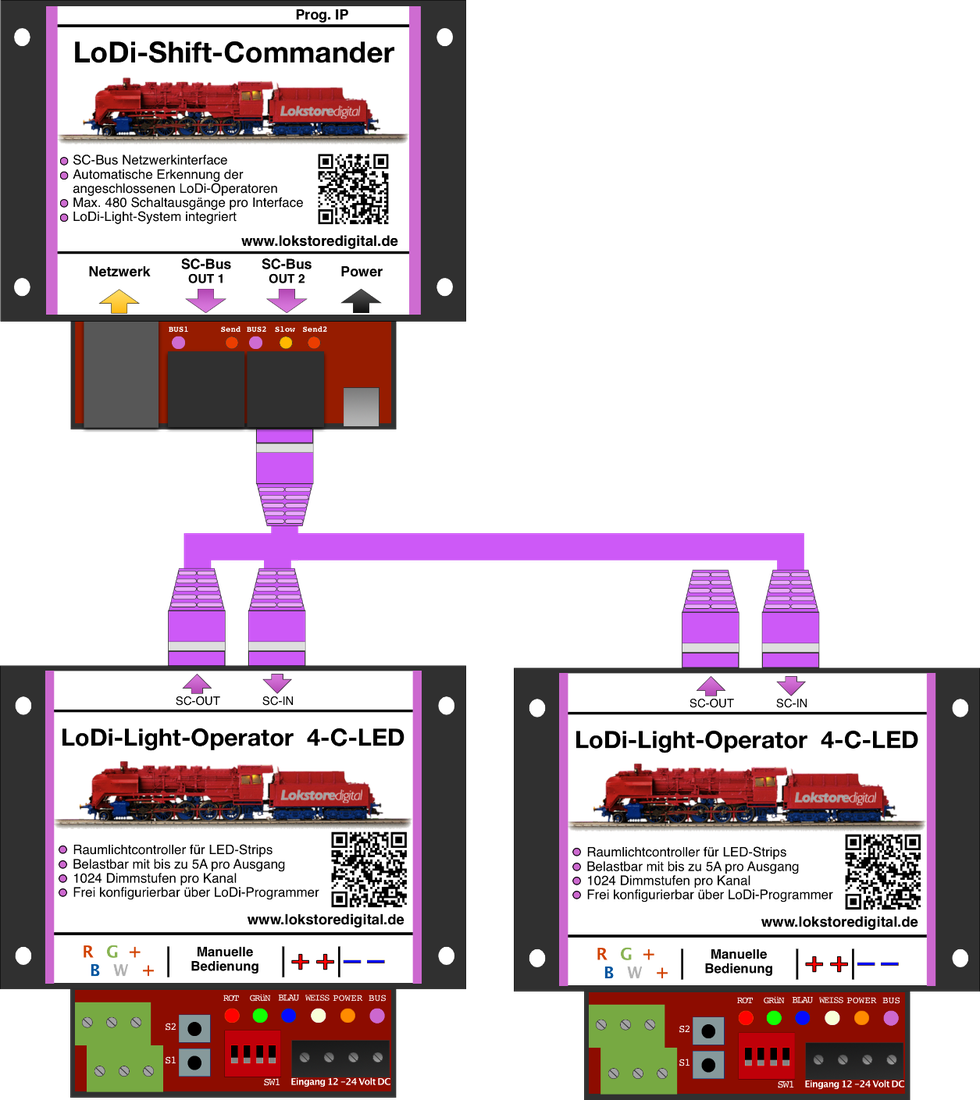
In this example you now see how the operators can be attached one after another.
It is important to take care to connect the network cables correctly. That is, from OUT to IN, as you can see in the picture.
In the last example picture you can see an SC bus 1 and 2 taken to their limit. The order of the modules is entirely immaterial here.
Only with the LoDi-Light-Controller should you take care that it is connected to bus 2.
What matters is that you integrate a new LoDi-SC-Booster into the system after every 16th module.
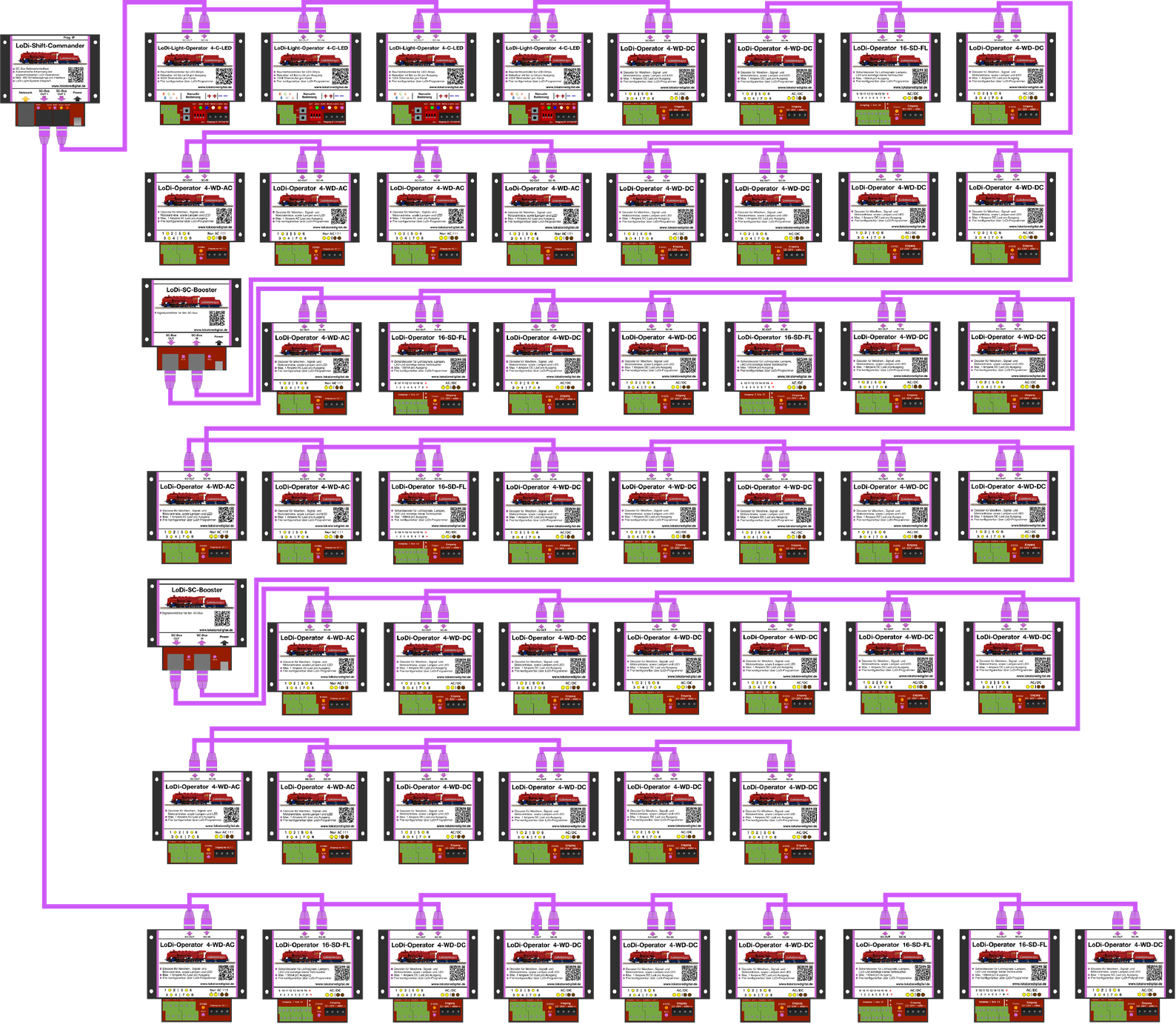
The bus length, or rather the number of modules, is very easy to calculate.
On bus 1 you have 96 channels available.
Here you could connect 12 LoDi-Operators 4-WD-DC or AC, for instance, since each module needs 8 channels.
On bus 2, 384 channels are available to you. That would be 48 LoDi-Operators 4-WD-AC or DC, LoDi-Light-Controller 4-C-LED or LoDi-Operator 16-SD-FL.
As you can see, our system lets you work very flexibly.
4. Connecting the LoDi-Light-Operator 4-C-LED to the power supply
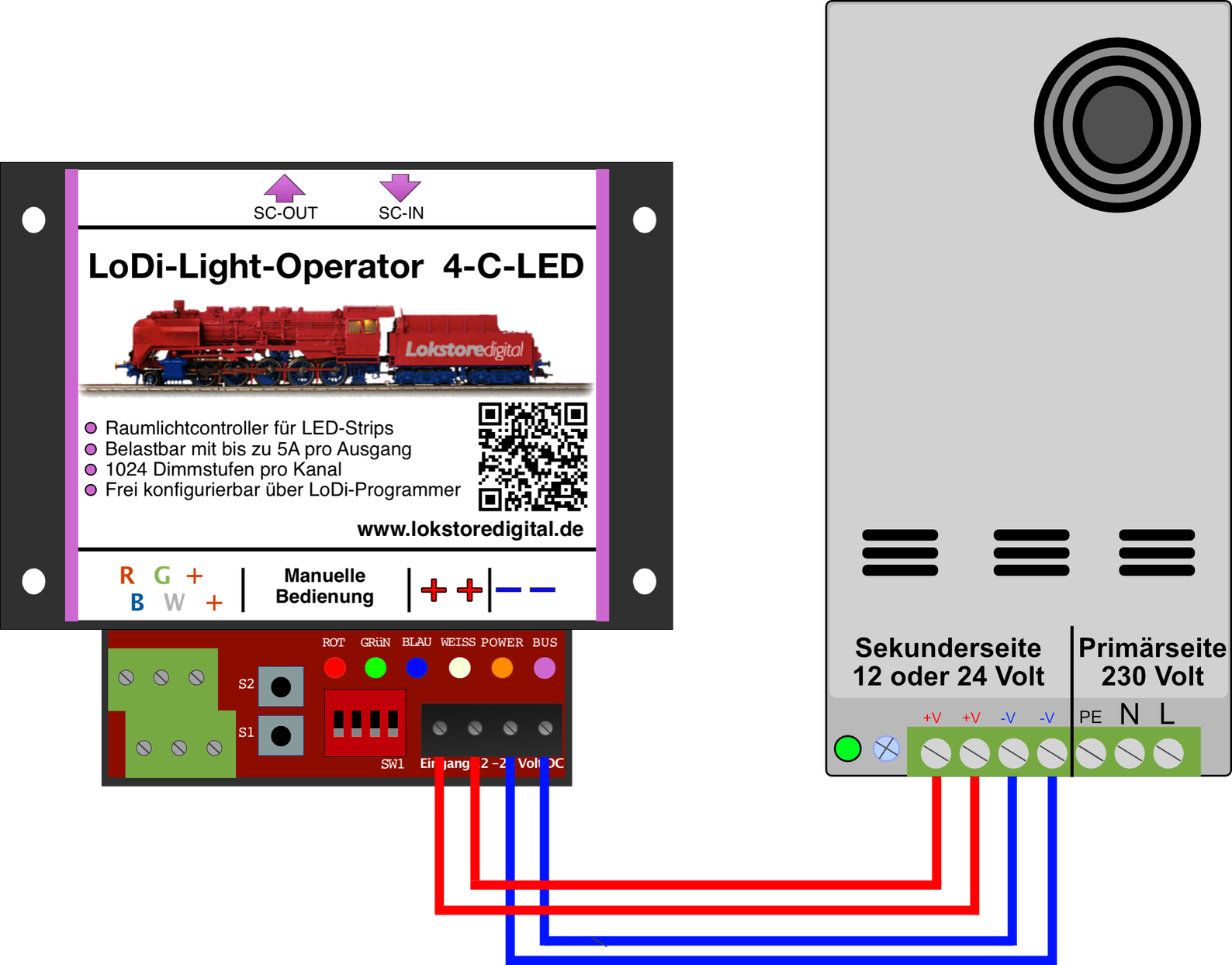
There are several ways of supplying the LoDi-Light-Operator, depending on the local power demand. For currents up to 8 A we offer a suitable power supply that you can connect yourself.
For that we supply an adapter with a cable for connecting directly to the LoDi-Light-Operator.
(LINK power supply)
With 8 amperes you can supply a maximum of 10 metres of LED strip per LoDi-Light-Operator.
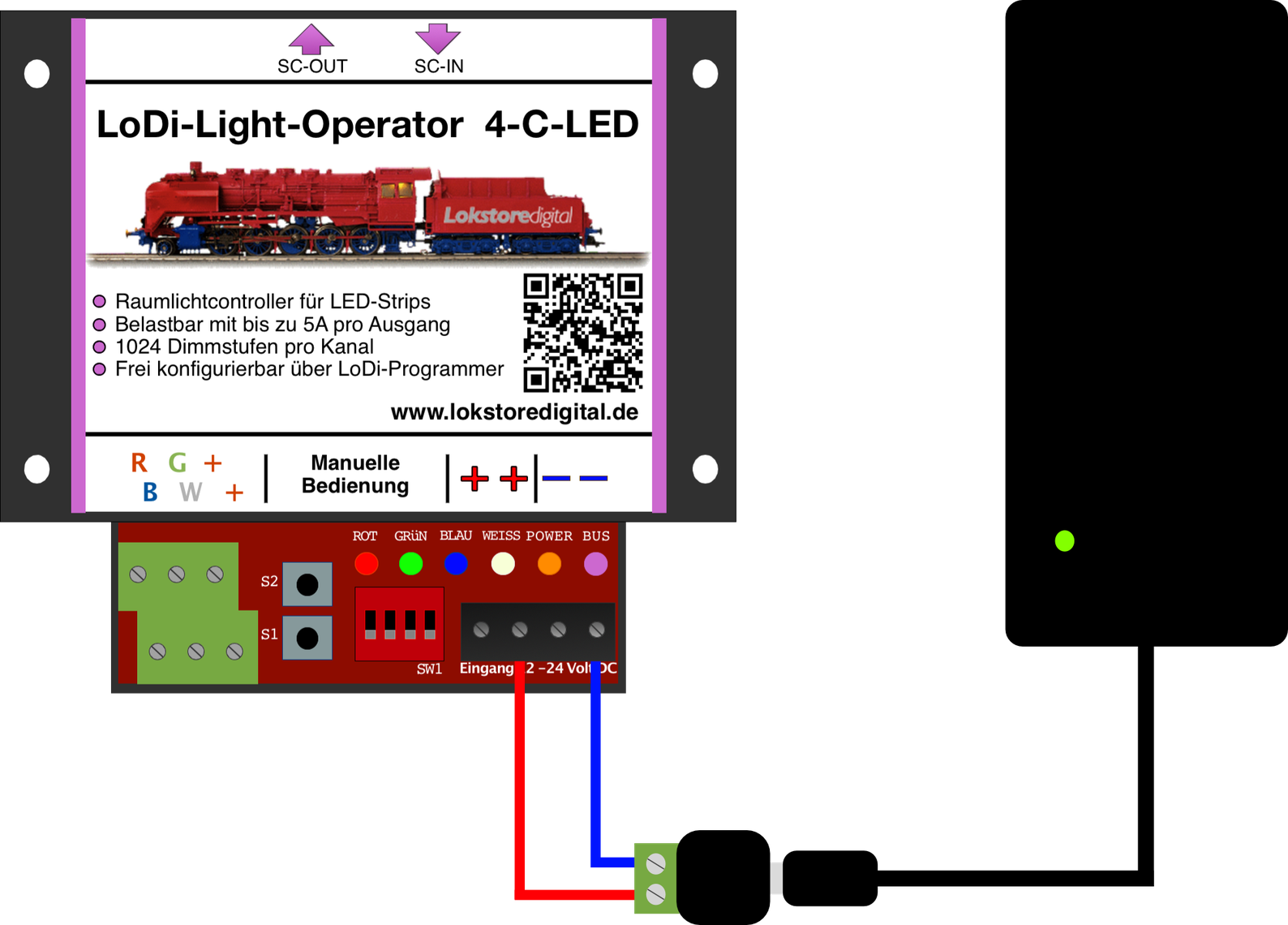
For higher currents we also supply a power unit up to 20 A, which must however be connected by an authorised specialist, since it has exposed mains terminals.
When using this power supply, cables with larger cross-sections are required on the secondary side because of the current carrying capacity. We recommend using a double cable feed here, each of at least 2 × 1.5 mm², to minimise the voltage drop over longer runs.
When buying, please take care to buy high-quality power supplies; we recommend and stock power supplies from MeanWell.
!!! Careful !!!
Since these power supplies use screw terminals with 230 volts on the primary side, this work has to be carried out by qualified personnel. Please get in touch with us, or with your electrician, if you have any questions.
5. Connecting the LoDi-Light-Operator 4-C-LED to the LED strips
Most LED strips in use only have thin cables fitted at the end. That is usually not enough for proper illumination. From 5 metres onwards the brightness even falls off sharply, so new feed points should be set.
With customers we usually use 2 LED strips: first a warm white one with 120 LEDs per metre, and an RGB LED strip, for which 60 LEDs per metre is plenty. We use 12-volt LED strips.
(This information is only a recommendation. 24-volt LED strips and a matching power supply can of course be used as well.)
We also recommend using a cable size of at least 0.75 mm².
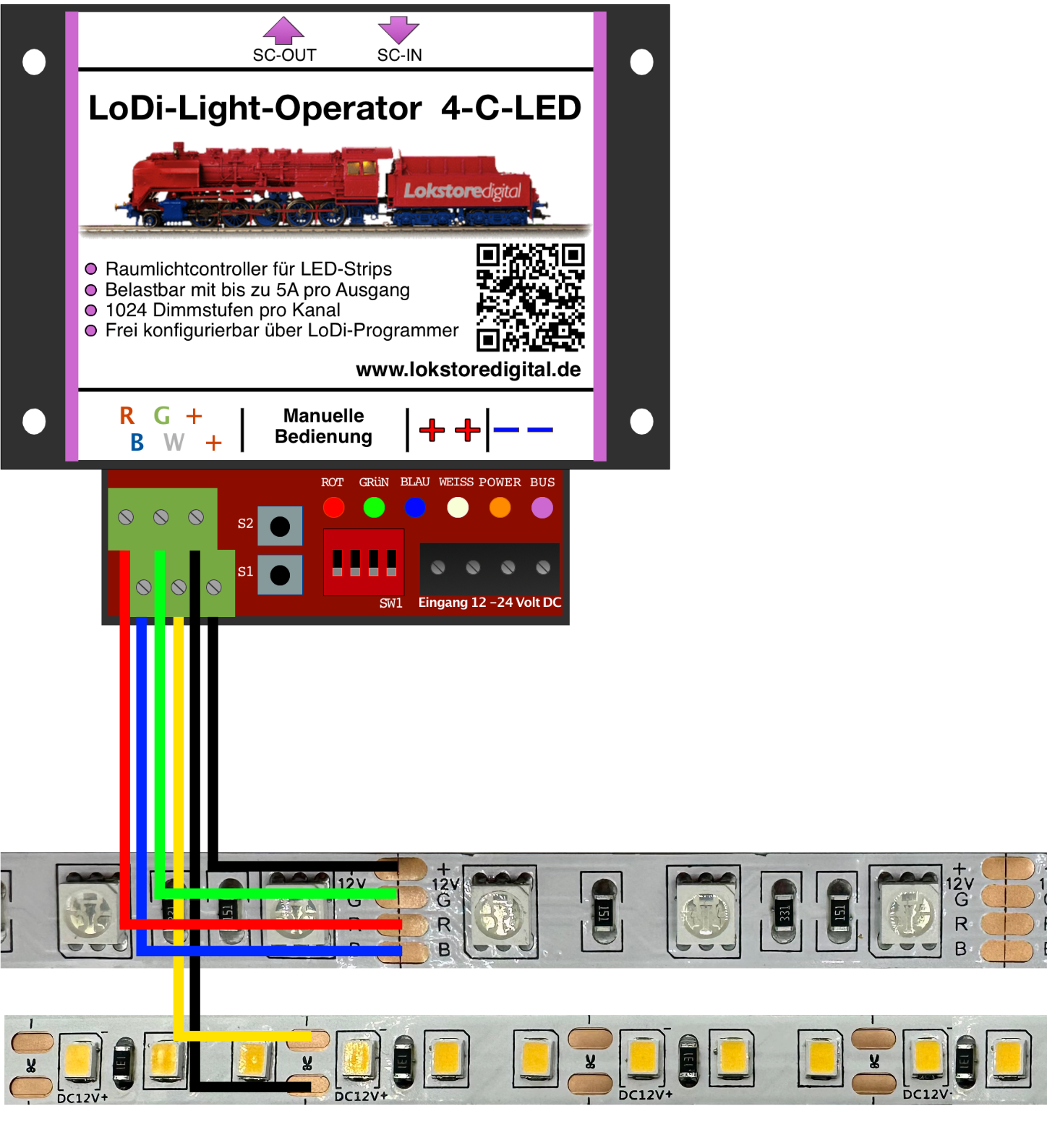
Solder the cable directly to the LED strip; it has to be fed in again every 5 metres at the latest.
A maximum length of 17 metres per LoDi-Light-Operator 4-C-LED is permitted (only with the 20 A power supply).
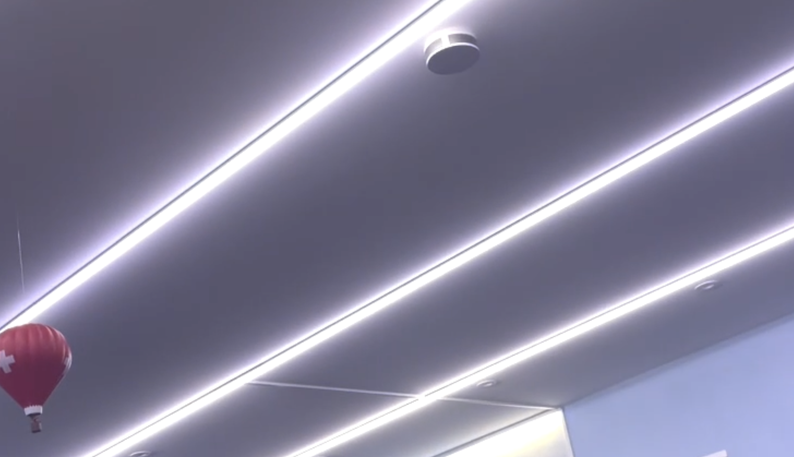
Taken together, the LEDs make LED strips warm (120 LEDs per metre in warm white), so we strongly recommend installing the LED strips on at least an aluminium rail; they can be glued to it very well. The lighting market also offers U-profiles with a frosted cover, which diffracts the LED's light so that you do not look straight into the LED.
We also have suitable LEDs and profiles in our shop.
6. Manual operation
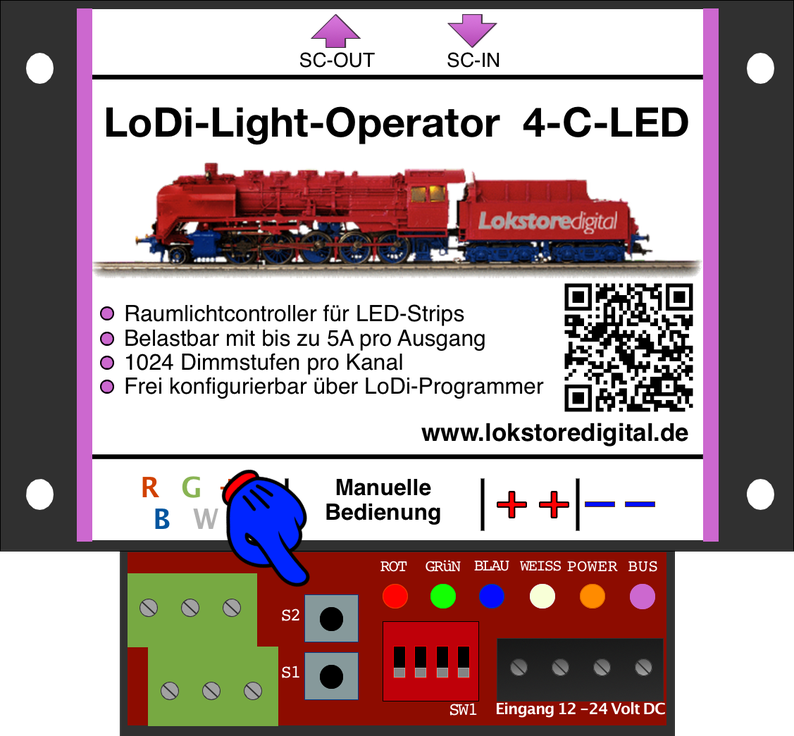
On the LoDi-Light-Operator there are 4 DIP switches and 2 buttons. They are there for manual operation. If the decoder has just been installed and you want to test it without a Shift-Commander, that is possible with the DIP and button controls.
The individual DIP switches are the 4 colours, that is
red, green, blue and white.
(Setting it by hand only works if the decoder is not connected to the bus and the DIP switches are at 0 when it is switched on.)
Then supply the decoder with power, switch one or more DIP switches on and adjust the brightness with S1 and S2.
If a LoDi-Shift-Commander is plugged in, manual operation is overridden.
The LoDi-Light-Operator 4-C-LED can also work as a stand-alone version. A light curve is already pre-installed. It is also possible to create your own light curve and upload it to the operator so it can then be run independently. To switch to stand-alone mode, the decoder must have no connection to the bus and DIP switches 1 and 4 have to be set.
The decoder now runs through its curve without a LoDi-Shift-Commander.
7. Technical data
| Property | Value |
|---|---|
| Dimensions | Length 8.9 cm |
| Width | 10 cm |
| Height | 3.5 cm |
| Weight | 120 grams |
Permitted from 12 to 24 volts DC. (DC ONLY!)
Output loading: RGB 5 amperes each, W 10 amperes, no more than 20 amperes in total.
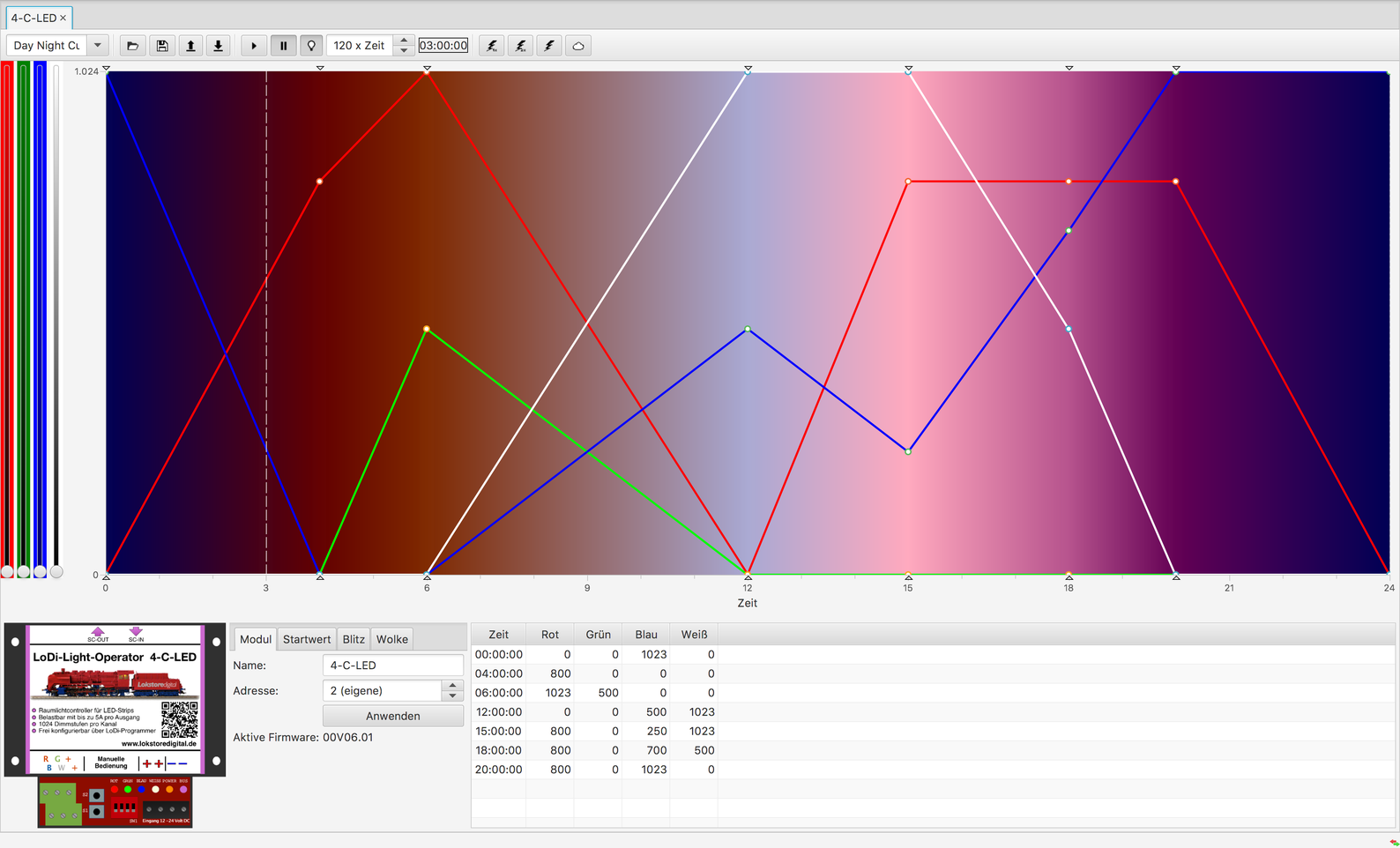
8. Setting up the LoDi-Light-Operator 4-C-LED in the LoDi-Programmer
Here you can find out how to set up the LoDi-Light-Operator 4-C-LED
9. LoDi-Light-Operator 4-C-LED PDF download
Here you can download a summary of the LoDi-Light-Operator 4-C-LED hardware and software as a PDF.