
LoDi-Con manual
Device settings
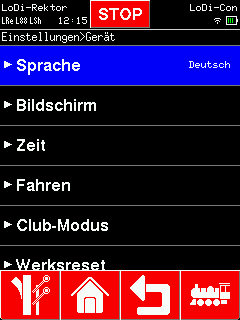
A number of things can be adjusted on the LoDi-Con, namely:
- Change language
- Screen
- Time
- Driving
- Club mode
- Perform a factory reset
The menu speaks for itself, so we only go into the most important settings.
Screen settings
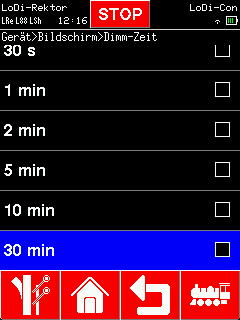
The screen settings let you change the following:
- "Orientation" = auto-rotation on or off
- "Brightness" = maximum brightness
- "Dim brightness" = minimum brightness
- "Dim time" = how long until the display dims
- "Switch-off time" = when the LoDi-Con switches off
- "Always on while charging" = LoDi-Con A only; while the USB-C plug is in, the LoDi-Con will not switch off
- "Knob brightness" = sets the maximum brightness of the rotary control.
Time
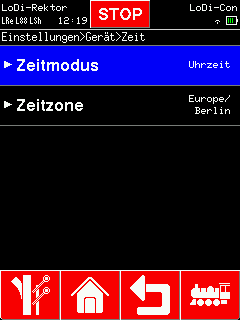
The LoDi-Con can show you the real time; where an internet connection is available it fetches it from a time server. You can set the time zone.
Do you have a LoDi-Shift-Commander with room lighting control running? Then you can have the model time shown. To do that, tick "Model time" in the time mode.
If you would rather have no clock shown, set the tick to "Off".
Driving
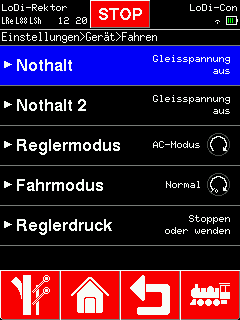

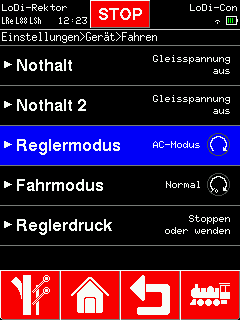
"Control mode" and "Driving mode" are defaults for every newly created locomotive.
The control mode switches the rotary knob from AC mode to DC mode (further variants will follow).
In AC mode the speed rises clockwise and falls anticlockwise. To change direction the control has to be pressed once (a stop command, if the locomotive is still
moving). Press the knob once more and the direction changes. The direction can also be changed straight from the touch display.
In DC mode the control has to be turned to the left to run backwards. The direction is still changed by pressing the knob.
The driving mode can be switched from "Normal" to "Shunting".
That means that in shunting mode the control only turns back as far as speed step 1, and the locomotive only stops when the knob is pressed.
Club mode
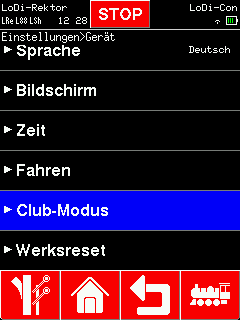
Club mode is extensive enough that we gave it a section of its own; click here for it.
Online database
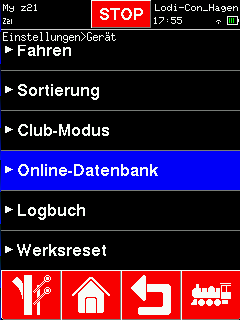
The online database is described in the separate chapter Online database.
Perform a factory reset
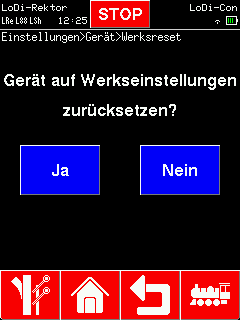
The last entry in the menu is "Factory reset".
This puts the LoDi-Con back into the state it was delivered in.
CAUTION!!!
Every piece of data is deleted!
Before deleting, you can make a backup with the LoDi-ProgrammerFX; it can easily be transferred back into a LoDi-Con later.

Would you like to see the quality of the devices for yourself?
Get in touch with us HERE!
Visit our forum, where experienced users are happy to help you.