
LoDi-Con manual
ESU ECoS
The ECoS and the LoDi-Con :)
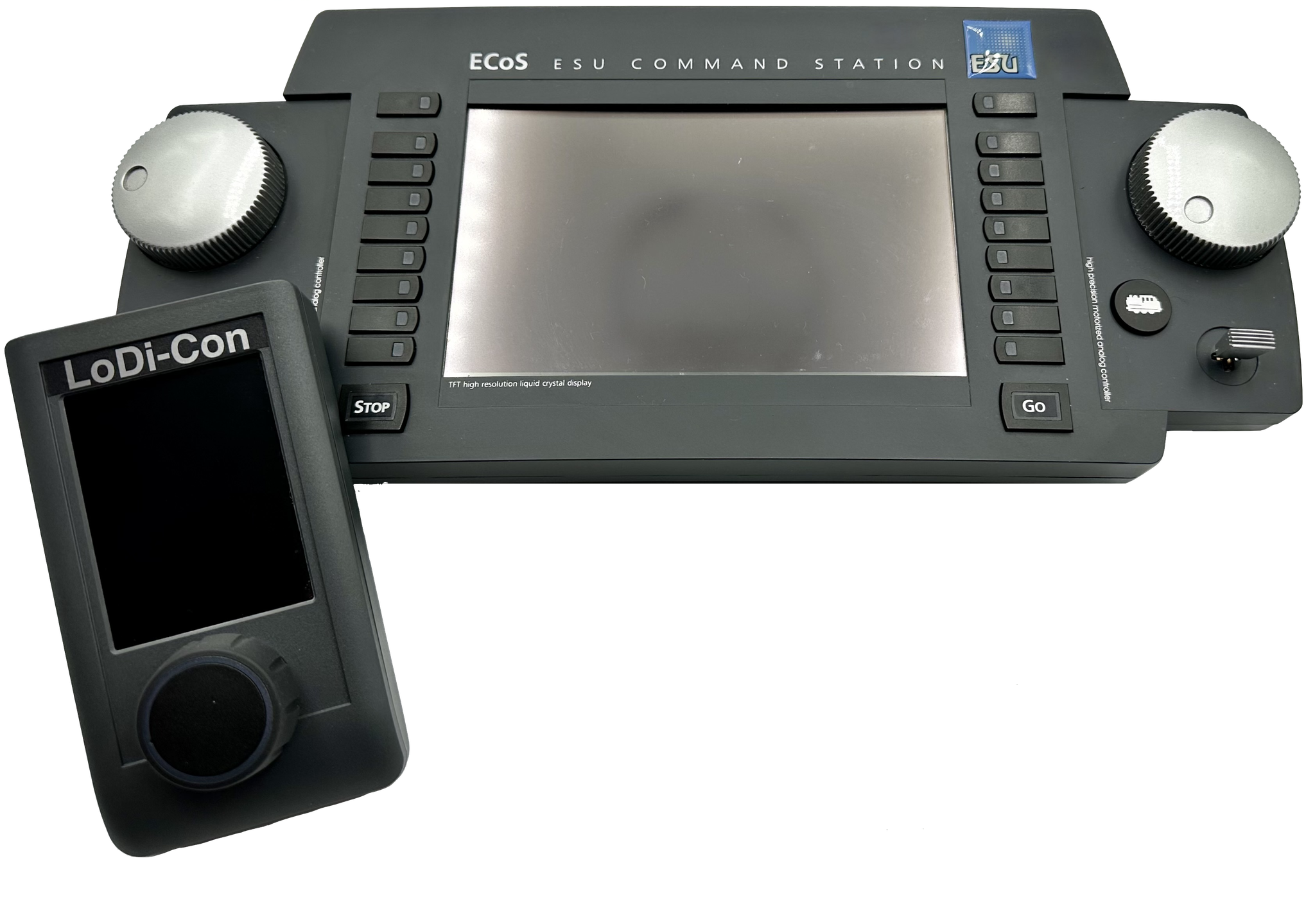
As one of the first network-capable command stations on the market, the ECoS is now supported by the LoDi-Con too — and setting it up could hardly be simpler.
In this guide we show you step by step how to connect the LoDi-Con to the ESU ECoS command station.
The ECoS has to be on the same network as the LoDi-Con, so make sure both devices are on it. If you have questions about that, do get in touch or visit our LoDi forum.
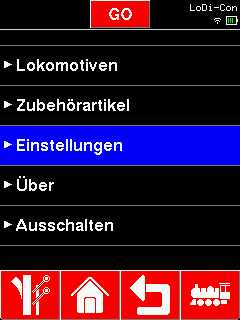
First tap the "house"; this icon always takes you back to the main screen.
There press Settings > Command station >
From there go to Settings > Command station >

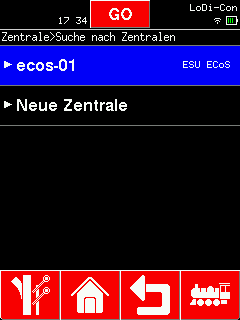
Now select the station that was found and give it a name. Confirm with the "green tick".
(Devices already shown in green in the "Search for command stations" overview are known to the LoDi-Con.)
(To be able to use the LoDi-Con as a controller for the ECoS, you have to tick "Allow another controller to take over a locomotive" in the ECoS under Setup1 > Driving + switching.)

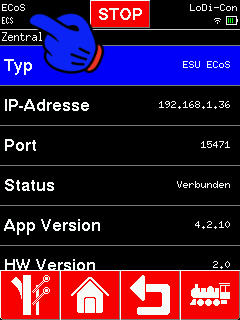
The LoDi-Con now connects to the ECoS.
Every connected command station is now shown in the top left corner of the display.
If everything has worked so far, a new ECS symbol now appears at the top left. If that ECS is steady, the connection is up. If it blinks, the LoDi-Con could not reach the ECoS, or it is trying to establish a connection.
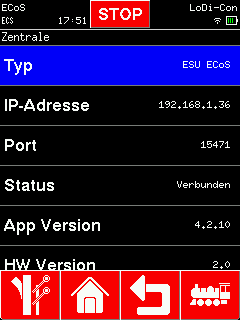
Tapping the top left takes you to the overview of command stations, which also shows whether the connection is active or not. If there are several stations, select the ECoS here. You can also check whether a connection exists and call up the version number, the IP address and the UDP port.

As soon as the LoDi-Con has established a connection to the ECoS, the locomotives and accessories are shown on the LoDi-Con directly. Those articles are not stored on the LoDi-Con, but locomotives and accessories can be created on it at any time; those stay on the LoDi-Con permanently and are created on the ECoS as well.

Would you like to see the quality of the devices for yourself?
Get in touch with us HERE!
Visit our forum, where experienced users are happy to help you.